

Top 5 Dashboard Reporting Tools Every Business Should Use


Introduction
Effective decision-making relies heavily on insightful reporting. Dashboard reporting tools play a vital role in turning complex data into clear, actionable insights. With so many reporting options available, selecting the right dashboard tool can significantly enhance your analytics capabilities. This blog breaks down what dashboard reporting tools are, how they benefit organizations, and the key features to consider when choosing one. You’ll also discover five top tools leading the market in 2025 and learn why Bold BI® stands out as a powerful solution for modern reporting needs.
What is a dashboard reporting tool?
Dashboard reporting tools are software applications that visualize and analyze data from various sources. They provide users with a consolidated view of key metrics and performance indicators through intuitive visualizations like charts, graphs, and tables. These tools enable businesses to transform raw data into actionable insights, helping stakeholders understand trends, monitor progress, and make data-driven decisions.
Benefits of dashboard reporting tools
Dashboard reporting tools empower teams to make data-driven decisions, improve operational efficiency, and foster collaboration by turning raw data into clear, actionable insights.
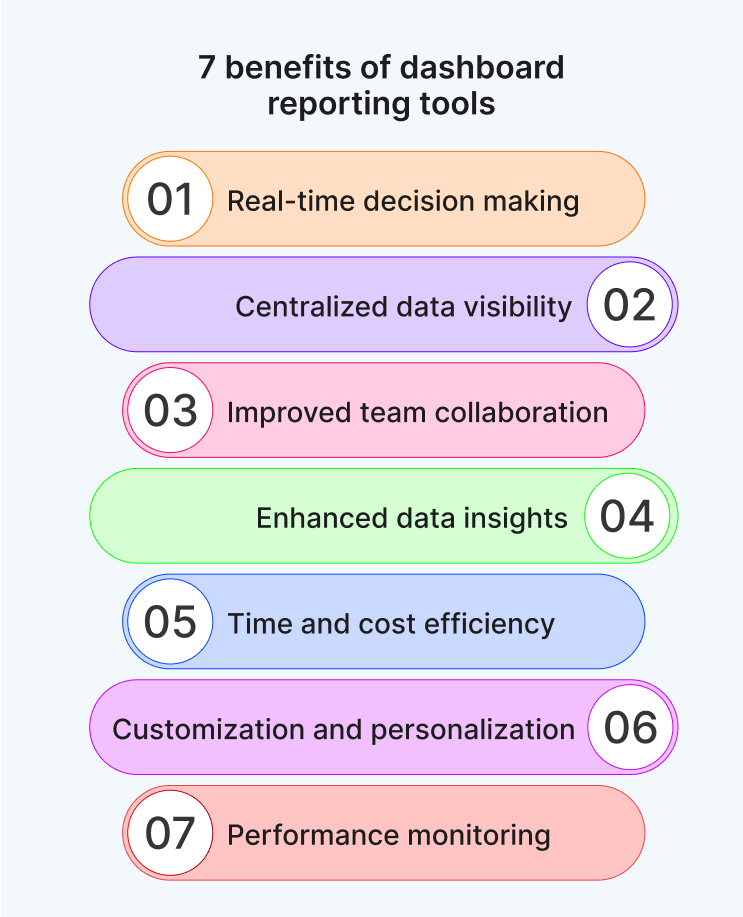
1. Real-time decision making: Dashboard tools provide instant access to live data, helping you make timely decisions. Whether you’re tracking sales, operations, or customer support, you can respond quickly to changes and avoid delays. You don’t have to wait for end-of-day reports—your data is always up to date.
2. Centralized data visibility: They consolidate data from multiple sources—databases, spreadsheets, APIs—into one unified view. This eliminates the need to switch between systems or manually compile reports. You get a complete picture of your business in one place.
3. Improved team collaboration: Dashboards can be shared across departments, enabling everyone to work from the same data. Role-based access ensures that each team sees what’s relevant to them. Teams align better, reducing miscommunication and duplicated efforts.
4. Enhanced data insights: With interactive charts, filters, and drilldowns, dashboard tools help you uncover trends, patterns, and anomalies that might go unnoticed in raw data. You gain deeper insights that support smarter strategies.
5. Time and cost efficiency: Automated reporting saves hours of manual work. Instead of building reports from scratch, dashboards update themselves based on the latest data. Reduce reporting time and free up resources for more strategic tasks.
6. Customization and personalization: You can tailor dashboards to specific roles, KPIs, or business goals. Whether you’re a marketer, analyst, or executive, the dashboard adapts to your needs. You see only what matters most to your role or objective.
7. Performance monitoring: Dashboards help you track progress against goals—daily, weekly, or monthly. You can set alerts for underperformance and take corrective action early and stay proactive instead of reactive.
Let’s take a look at the key features to consider when choosing a dashboard reporting tool.
Key features to look for in dashboard reporting tools
When selecting a dashboard reporting tool, consider the following criteria:
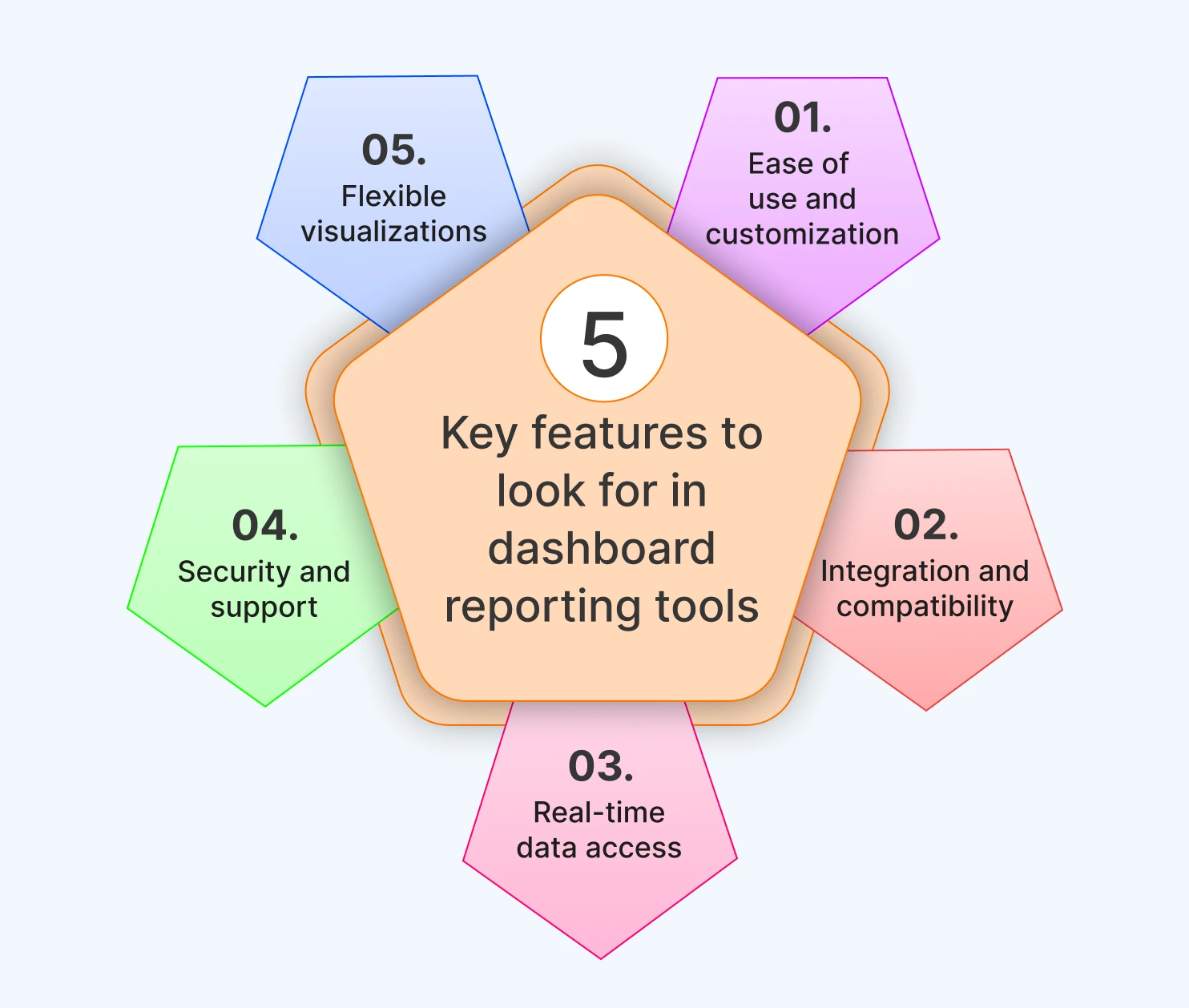
1. Ease of use and customization: A user-friendly interface with intuitive navigation and customizable widgets, layouts, and themes ensures users of all skill levels can build dashboards that suit their specific needs.
2. Integration and compatibility: Top tools should integrate seamlessly with your existing data systems whether it’s a CRM, ERP, or database, allowing for a unified data view without manual effort.
3. Real-time data access: Real-time data updates are essential for timely, informed decisions. They ensure you’re always working with the most current insights.
4. Security and support: Robust data security features like encryption and user authentication are critical as is having access to dependable customer support during setup and usage.
5. Flexible visualizations: Look for tools that support a range of visuals like charts, graphs, and tables, making it easier to present complex data in a clear and compelling way.
With these criteria in mind, let’s now explore five of the best dashboards reporting tools on the market today each offering unique features and strengths to meet different business needs.
5 best dashboard reporting tools in 2025
As businesses increasingly rely on data-driven decisions, dashboard reporting tools have become essential for turning raw data into actionable insights. Below are five top tools that stand out for their dashboard capabilities.
Bold BI
Bold BI is a powerful business intelligence platform designed for building interactive dashboards with drag-and-drop simplicity. It supports rich visualizations, AI-powered analytics, and extensive integration with databases, cloud services, and third-party applications.
Here’s a breakdown of its key dashboard-specific features:
- Real-time data connectivity: Bold BI connects to live data sources, ensuring dashboards always reflect the most current information—crucial for industries like healthcare, finance, and IT.
- Customizable widgets and layout options: Design dashboards effortlessly using the drag-and-drop interface and a wide range of widgets including charts, gauges, and maps—no coding required.
- Support for over 120 data sources: Integrate data from platforms like SQL Server, Salesforce, Google Analytics, Excel, and REST APIs to create unified, cross-platform dashboards.
- Embedded analytics: Embed dashboards directly into internal applications or portals, allowing teams to access insights within the tools they already use.
- AI-powered analytics: Bold BI features AI Copilot, generative AI narrations, and prompt-to-dashboard tools that simplify data exploration and accelerate decision-making. Explore now to create full dashboard through natural language input.
- Data visualization & interactive dashboards: Bold BI enables users to transform complex data into clear, compelling visuals using a wide range of charting options. Its interactive dashboard features like filters, drill-down menus, and parameters allow users to explore data dynamically, uncover deeper insights, and make informed decisions with ease.
- Self-service analytics: Empower business users to build and customize dashboards independently using the intuitive drag-and-drop designer—no coding required. This reduces reliance on IT departments and accelerates decision-making.
- Multitenancy: Manage multiple clients or departments securely with the multitenant architecture. Features like role-based access, row-level security, and white-labelling ensure isolated environments and scalable deployment.
- Collaboration: Facilitate secure, role-based access and real-time updates so teams can collaborate effectively using shared dashboards and scheduled reports.
Microsoft Power BI
Microsoft Power BI is a cost-effective and widely adopted business intelligence tool, especially suitable for organizations already using Microsoft products. It combines intuitive dashboard design with AI-powered analytics to enhance decision-making. Key features include:
- Integrated ecosystem: Power BI works effortlessly with Excel, Azure, SharePoint, and other Microsoft tools, making it a natural fit for organizations already using the Microsoft ecosystem.
- User-friendly design tools: Create rich, interactive dashboards using Power BI’s drag-and-drop interface. Users can build visual reports quickly without needing advanced technical skills.
- Collaborative reporting: Share dashboards and reports instantly through Microsoft Teams, OneDrive, or the Power BI service—streamlining collaboration across departments.
Tableau
Tableau is known for its rich visualization capabilities and intuitive design, making it a favourite among data analysts and business users. Its AI platform enhances dashboard reporting by simplifying analysis and delivering personalized insights. Key features include:
- Agent-powered intelligence: Tableau’s AI Agent enhances data exploration by enabling seamless collaboration between users and intelligent assistants.
- Trusted data governance: Tableau provides advanced governance tools to ensure data accuracy, consistency, and secure access across dashboards.
- Deployment flexibility: Tableau supports deployment on Windows, Linux, on-premises, or any cloud, giving organizations full control over their reporting infrastructure.
Looker
Looker, which is part of Google Cloud, focuses on data modeling and embedded analytics, ideal for organizations needing customized data experiences. It enhances dashboard reporting with scalable, governed, and AI-integrated features. Key features include:
- Advanced data modeling: Looker uses LookML to create reusable, governed data models that ensure consistency and scalability across dashboards and teams.
- Flexible embedding: With robust APIs and SDKs, Looker makes it easy to embed dashboards and analytics directly into your applications, workflows, or customer-facing platforms.
- Robust data connectivity: Looker integrates seamlessly with Google Cloud and a wide range of data sources, enabling unified dashboards across diverse platforms and environments.
Qlik Sense
Qlik Sense is a flexible analytics platform that combines associative exploration with governed AI. It supports dynamic dashboard reporting and empowers users to uncover insights quickly. Key features include:
- Interactive dashboards: Experience fluid, intuitive data exploration with responsive dashboards that support real-time filtering, drill-down options, and visual storytelling.
- Transparent, scalable pricing: Qlik Sense offers flexible, capacity-based pricing with no hidden fees—ideal for growing teams and enterprise-scale reporting.
- AI-enhanced insights: Built-in AI assistant and natural language capabilities help users generate insights faster, making dashboards smarter and more accessible.
With the landscape of dashboard tools explored, let’s now look at six industry-specific dashboard reporting examples in Bold BI.
Industry examples of dashboard reporting with Bold BI
Here are a few built-in Bold BI dashboards tailored for different sectors.
Healthcare
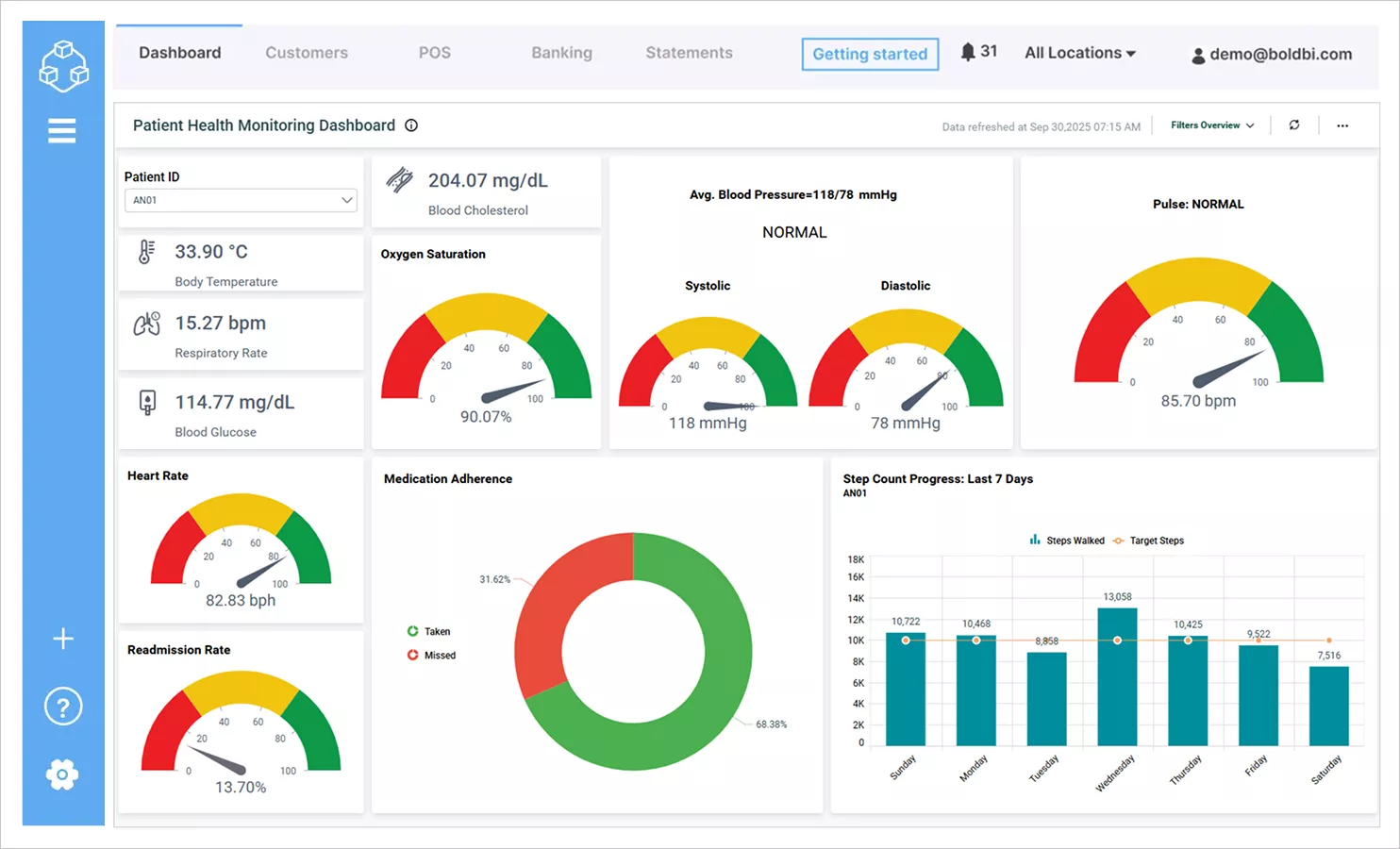
This patient health monitoring dashboard centralizes vital signs—temperature, respiratory rate, blood pressure, oxygen saturation, and heart rate—into one view. It helps healthcare teams respond faster, make better decisions, and reduce emergency risks, allowing them to deliver more proactive and personalized patient care.
Finance
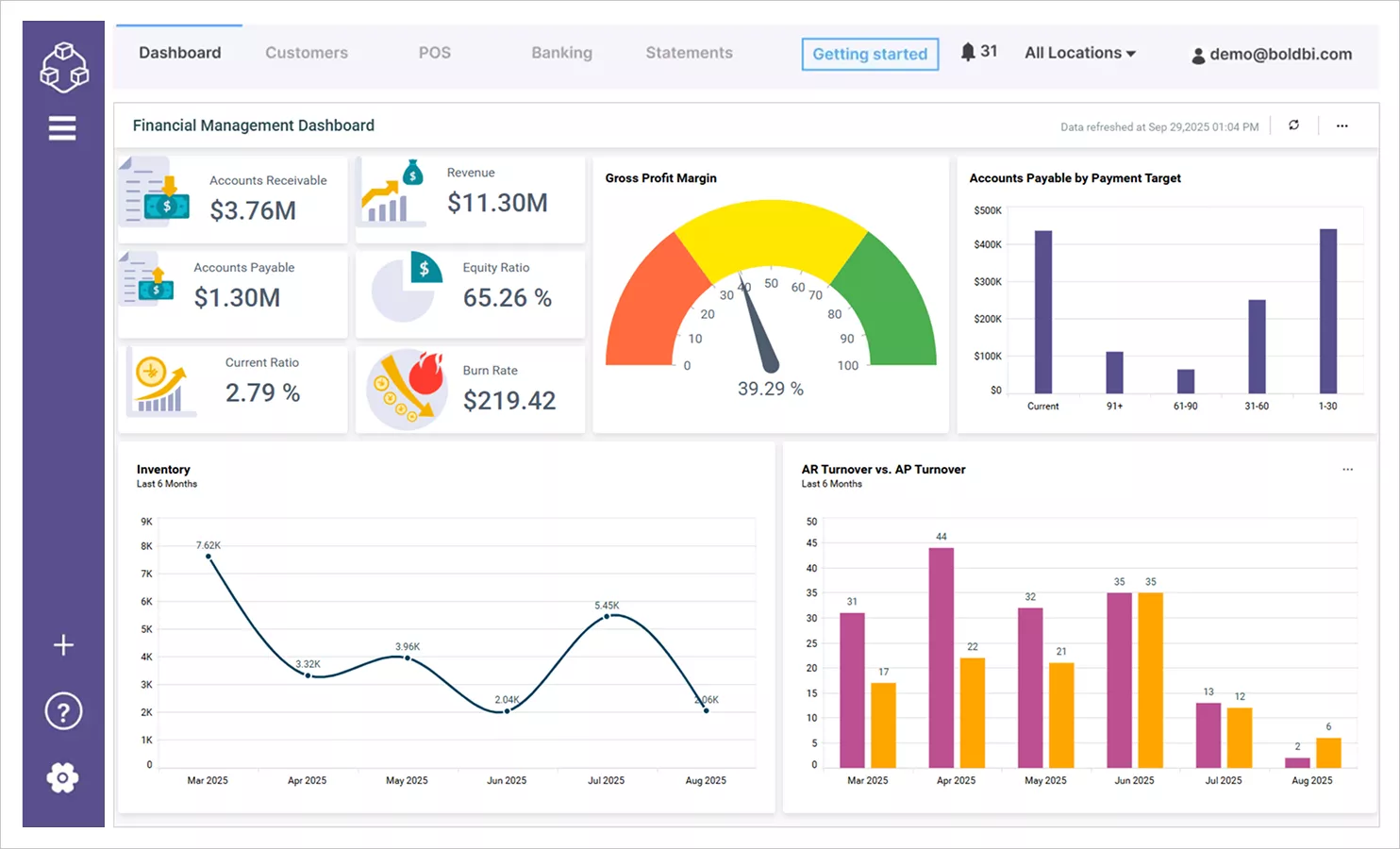
The finance management dashboard brings together key financial metrics like accounts receivable and payable, equity ratio, current ratio, and burn rate. It enables analysts to monitor cash flow, manage liabilities, and make timely investment decisions, helping financial institutions maintain stability and drive growth.
Education
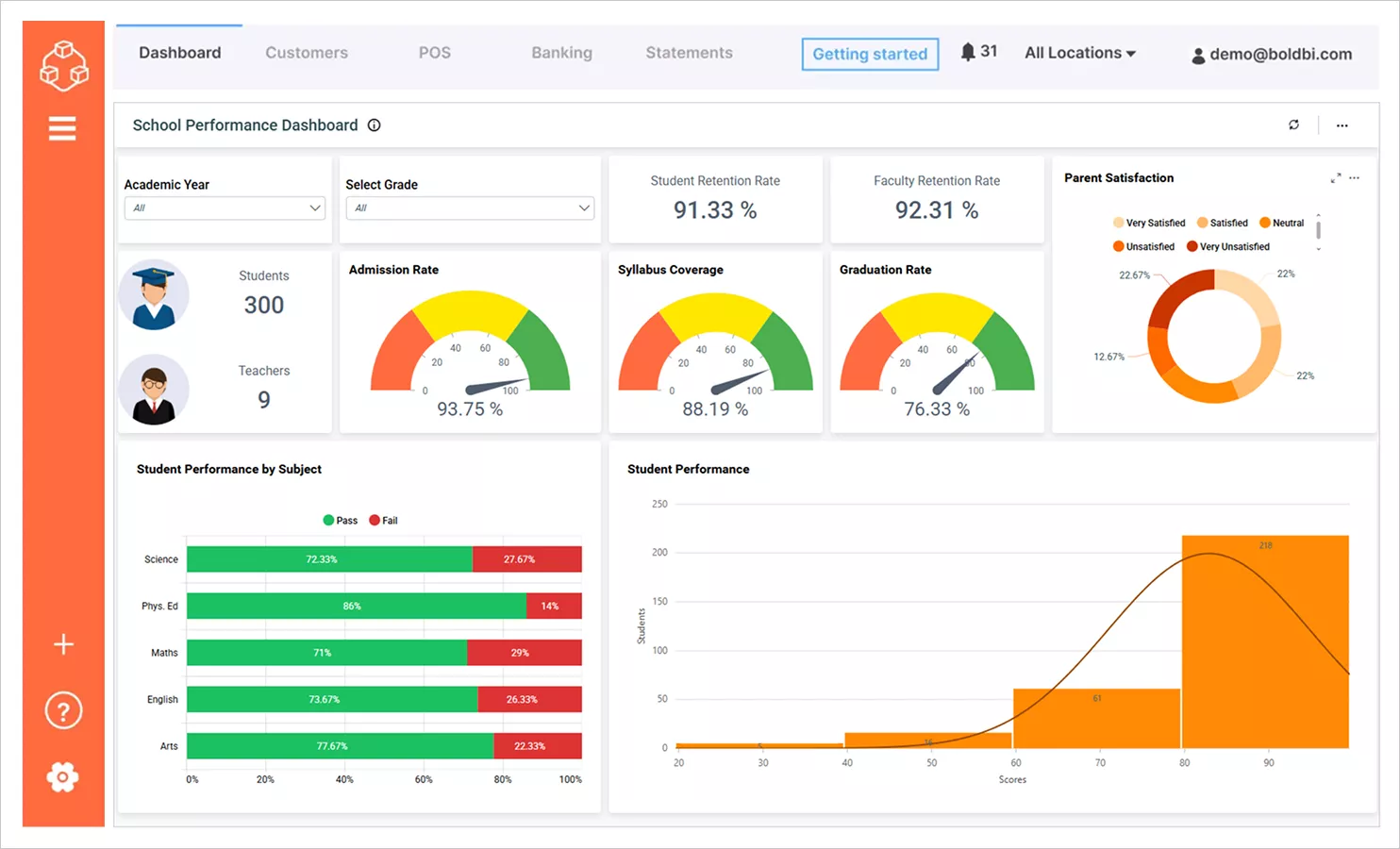
This student performance dashboard displays essential academic indicators such as retention rates, syllabus coverage, graduation rates, and pass and fail percentages. It helps educators identify struggling students and take action to improve learning outcomes, supporting institutions in raising academic standards and student success rates.
Sales
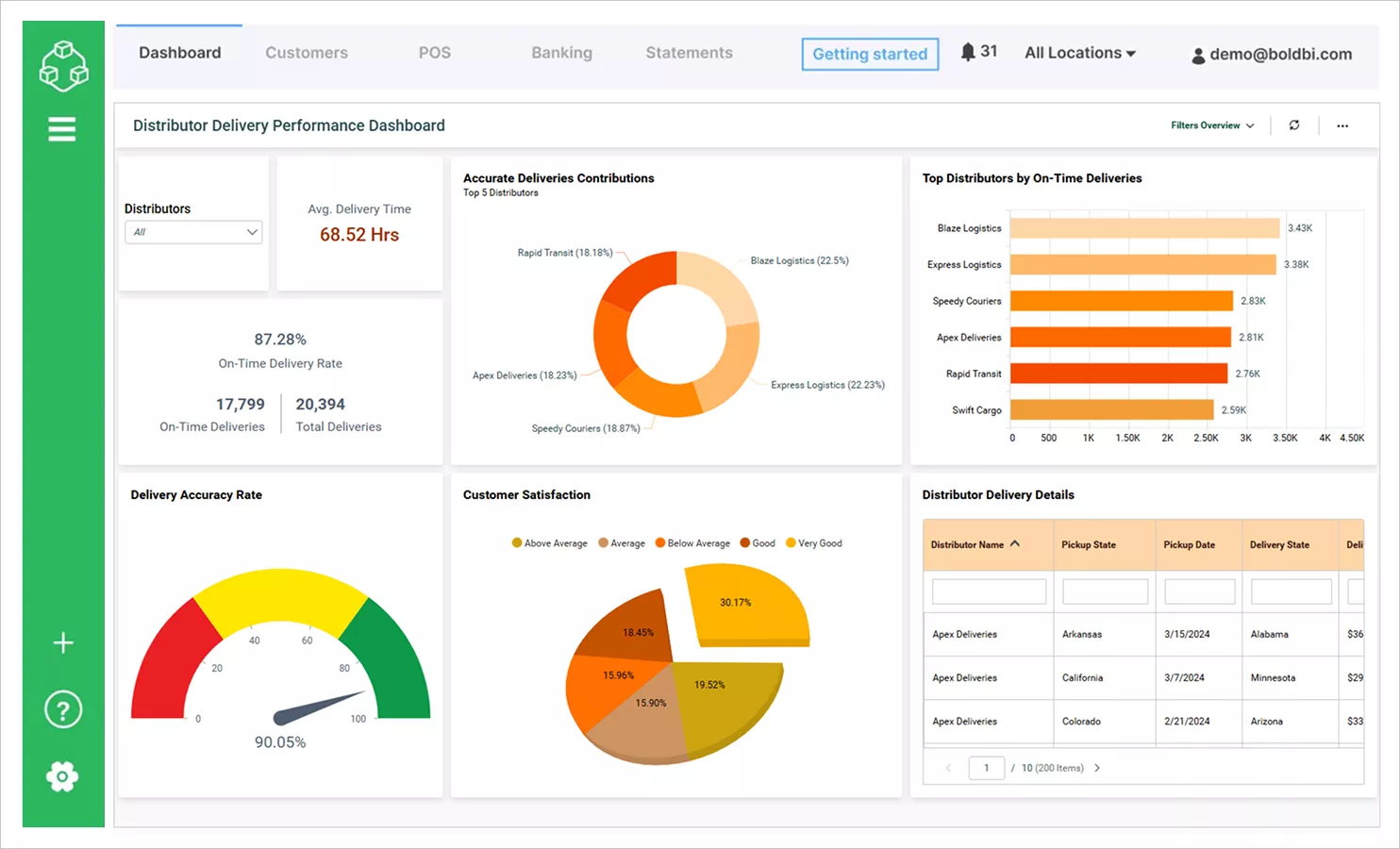
This distributor delivery performance dashboard consolidates delivery metrics like average delivery time, on-time rate, and accuracy. It empowers managers to optimize logistics and enhance customer satisfaction, strengthening supply chain reliability and boosting brand reputation.
Manufacturing
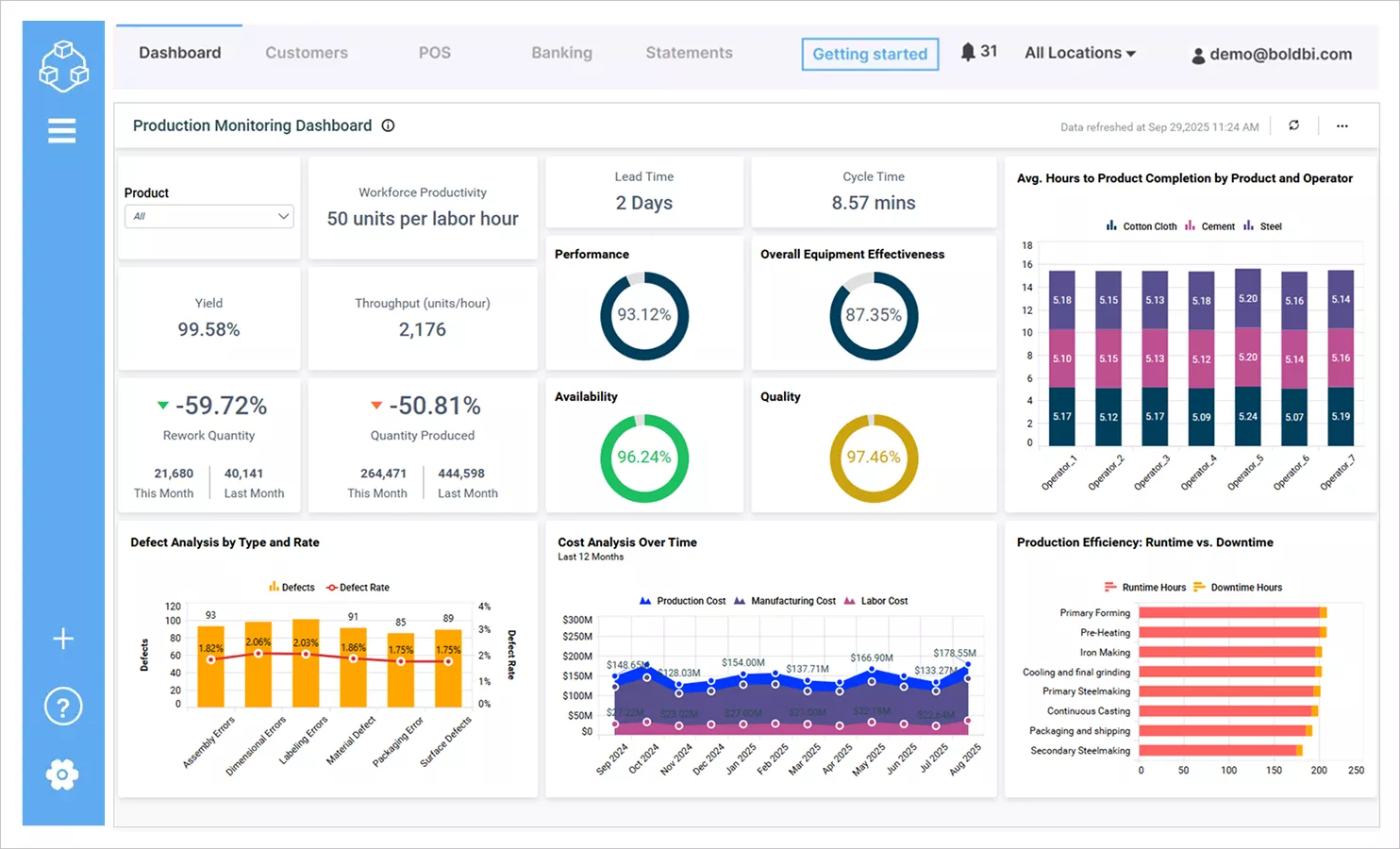
This production monitoring dashboard tracks metrics like workforce productivity, throughput, yield, rework quantity, and overall equipment effectiveness. It helps manufacturing teams detect bottlenecks, boost efficiency, and maintain product quality, so that factories to reduce waste and increase profitability.
Information Technology
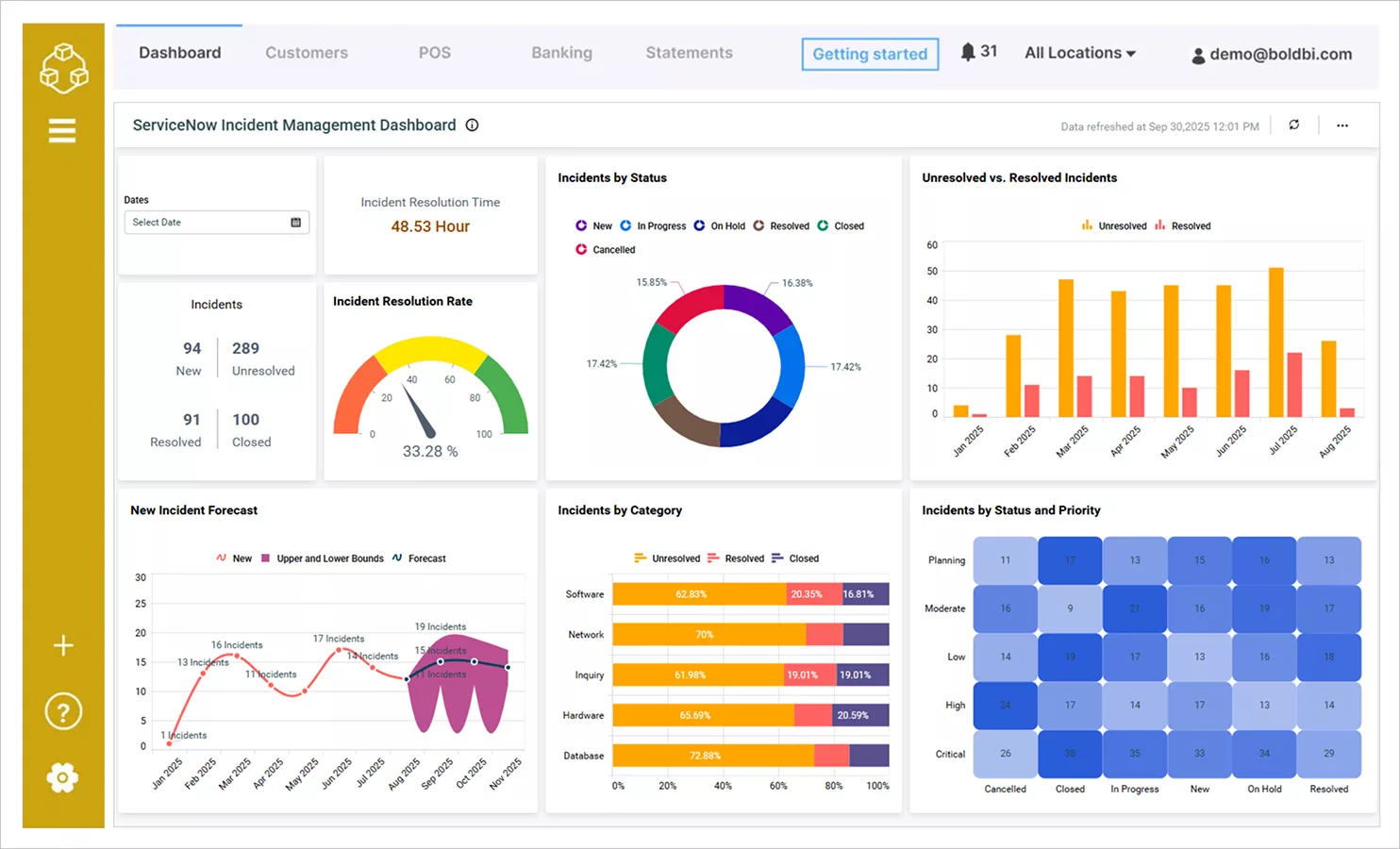
This incident management dashboard presents key IT metrics like issue resolution time, resolution rate, and incident status breakdowns. It enables IT teams to improve response times, reduce backlog, and deliver more reliable support, helping organizations maintain system uptime and user satisfaction.
These are just a few examples of the dashboard reporting capabilities offered by Bold BI. Visit our dashboard examples page to explore a wide range of dashboards across industries, departments, and analytics use cases—anytime.
To wrap up, let’s take a closer look at why Bold BI stands out as the ideal dashboard reporting tool in 2025.
Why choose Bold BI for dashboard reporting in 2025?
Choosing the right dashboard reporting tool is critical for unlocking the full potential of your data. As we’ve seen, the right features can make all the difference in usability, scalability, and decision-making impact. Bold BI® stands out in 2025 as a strategic solution that aligns with these needs, offering a modern approach to data analytics. Its commitment to simplifying reporting and enhancing data interaction makes it a reliable choice for organizations across industries.
Ready to elevate your dashboard reporting strategy? Try Bold BI by signing up for a free trial and discover how it can transform your enterprise analytics. If you have any questions or feedback, feel free to leave a comment—we’d love to hear from you. For a personalized experience, you can also request a 30-minute demo with our team. And if you’re looking for inspiration, explore our dashboard examples to see how different industries are using Bold BI to turn data into decisions.