
Collaborative Analytics Made Simple
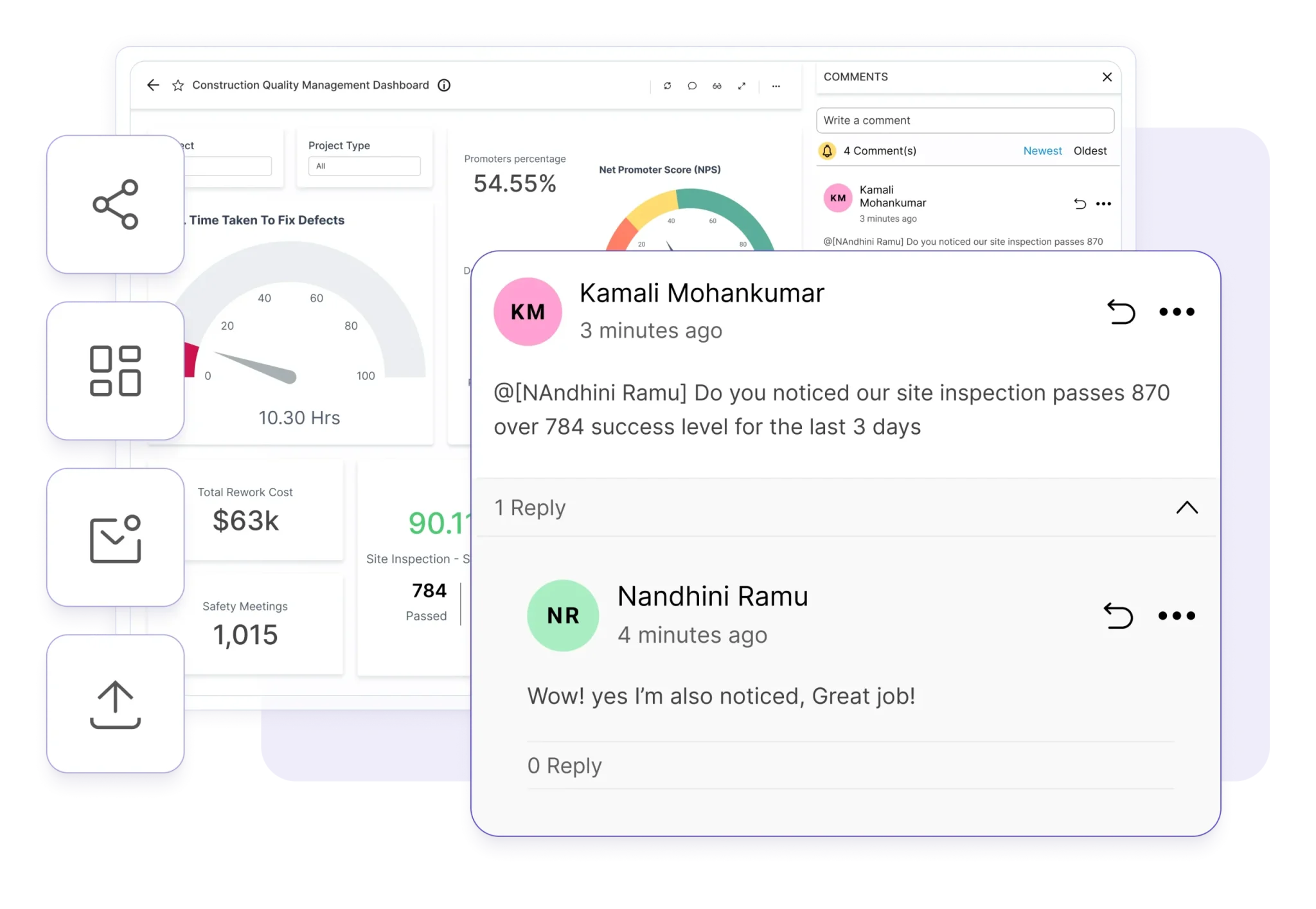
Bold BI lets teams comment directly on a dashboard and co-edit with teammates in real time. Access is assigned by role (view, edit or admin), dashboards export to PowerPoint, image, PDF, Excel or CSV, and scheduled email reports, an audit trail and version history are included in both editions.
No credit card required.
- Syscon
- Networcx
- A4B
- DigiQuip
- CarNow
- Revver
- Smartway2
- GeniusVets
- Talentegy
What can teams do together in Bold BI?
Bold BI collaboration is one of 10 feature areas, and the 8 features below cover co-editing, access, versions, export, scheduled emails, the audit trail, personal views and embedding.
- 01
Co-edit and comment on dashboards
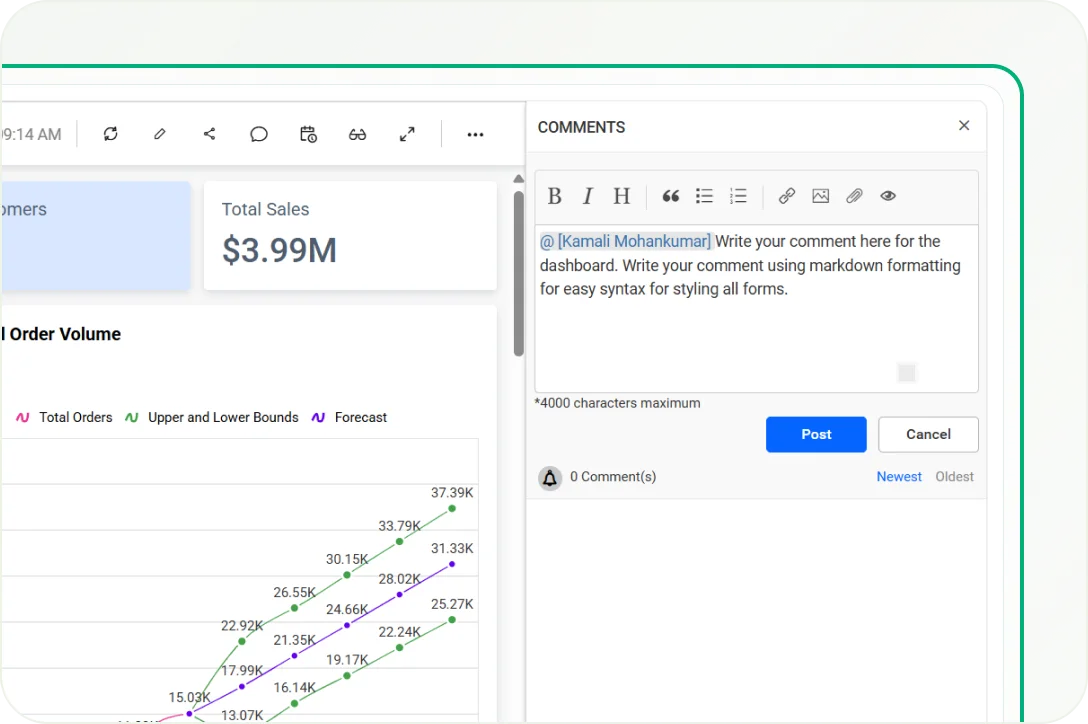
- Comment directly on a dashboard in Bold BI.
- Co-edit with teammates in real time.
- 02
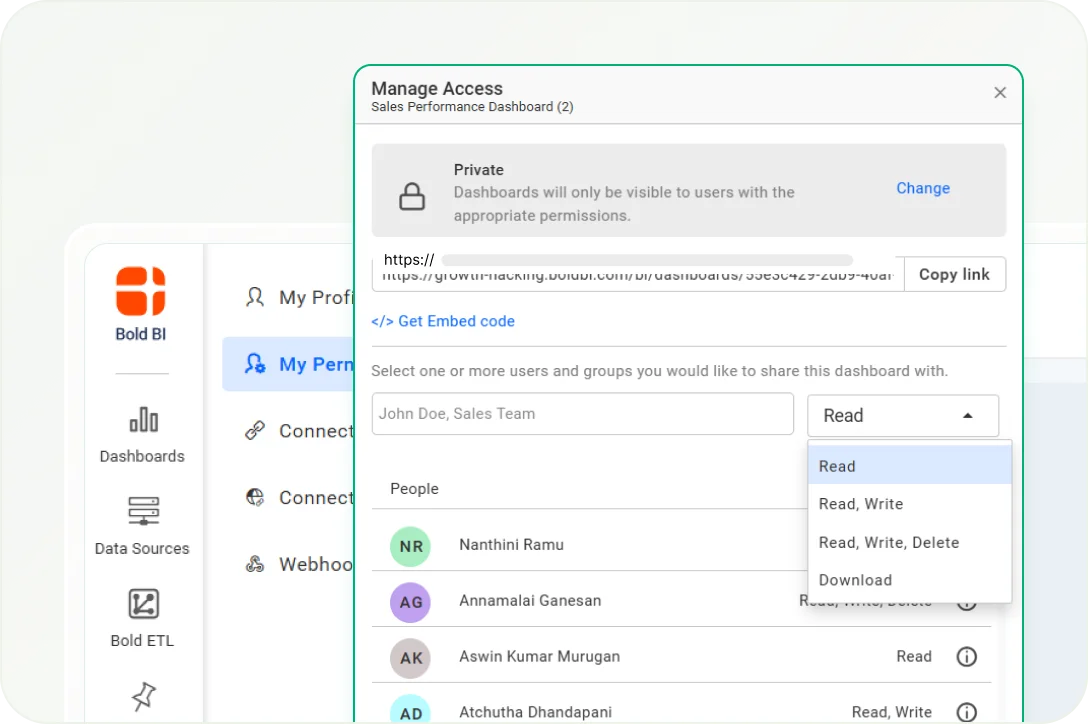
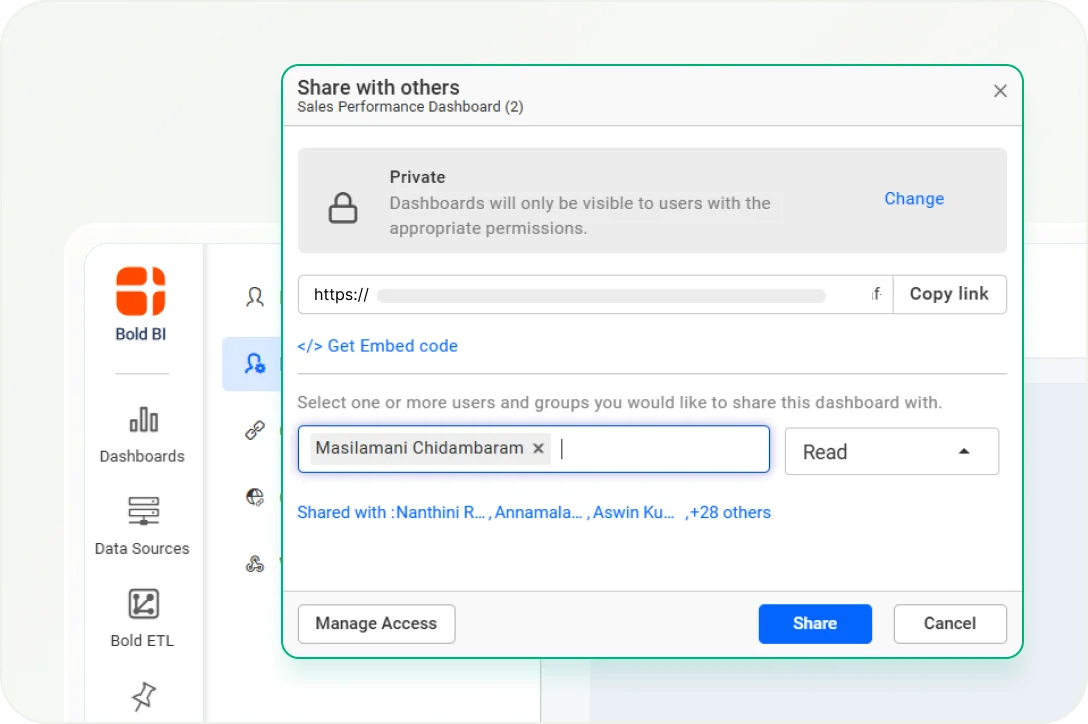
Control access by role
- Assign view, edit or admin rights by role.
- Row-level security scopes what each person sees, enforced at the data layer.
- 03
Roll back to an earlier version
- Version control lets you roll back a dashboard to an earlier version.
- Version history is included in both editions.
- 04
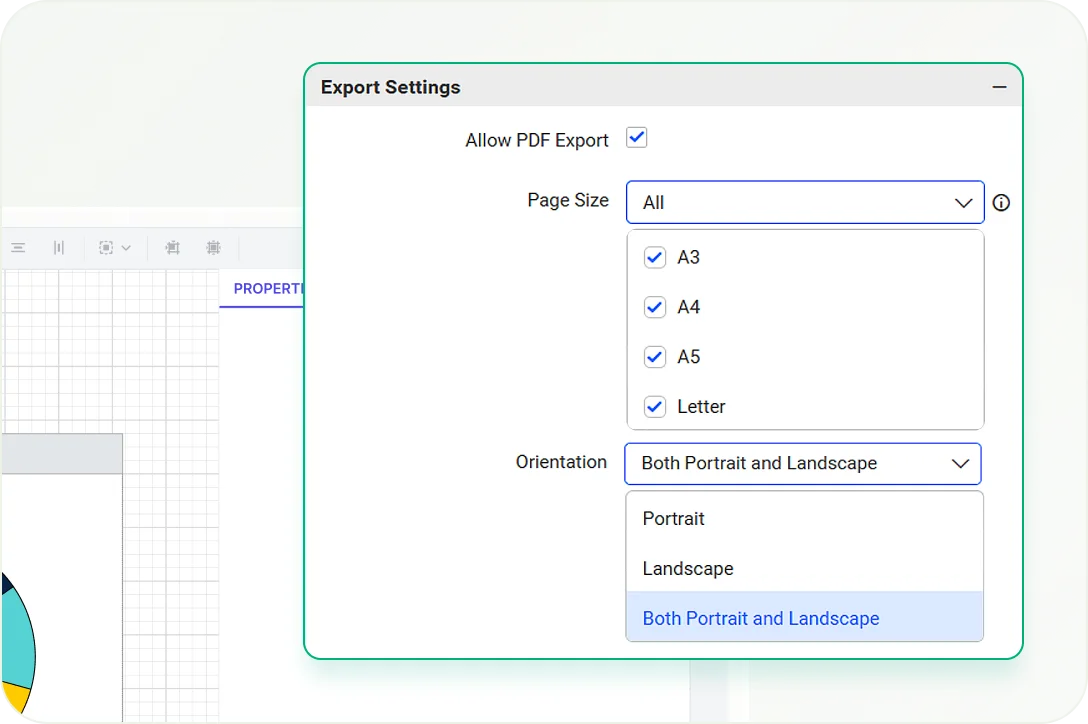
Export dashboards
- Export any dashboard to PowerPoint, Image, PDF, Excel or CSV.
- Scheduled email reports can export PDF, Excel and more.
- 05
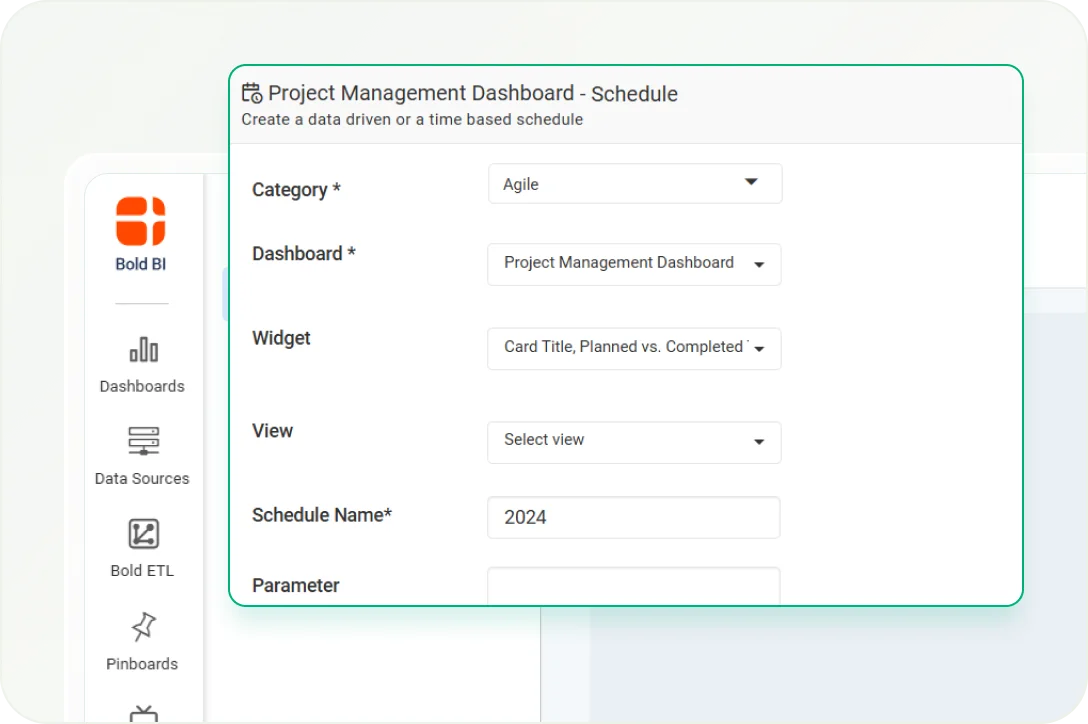
Schedule email reports
- Scheduled email reports and export are included in both editions.
- A scheduled dashboard email can include an AI-generated summary: turn on Enable AI Summary in the scheduling window.
- 06
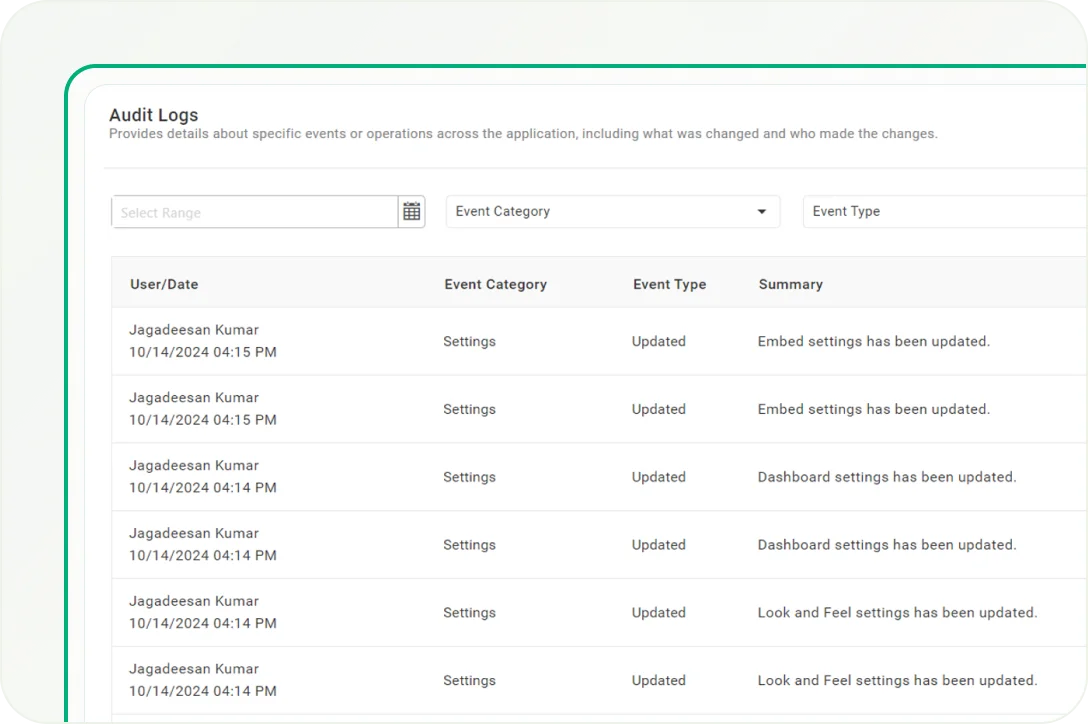
Keep an audit trail
- An audit trail is included in both editions.
- Audit Trail is one of the 10 Bold BI feature areas.
- 07
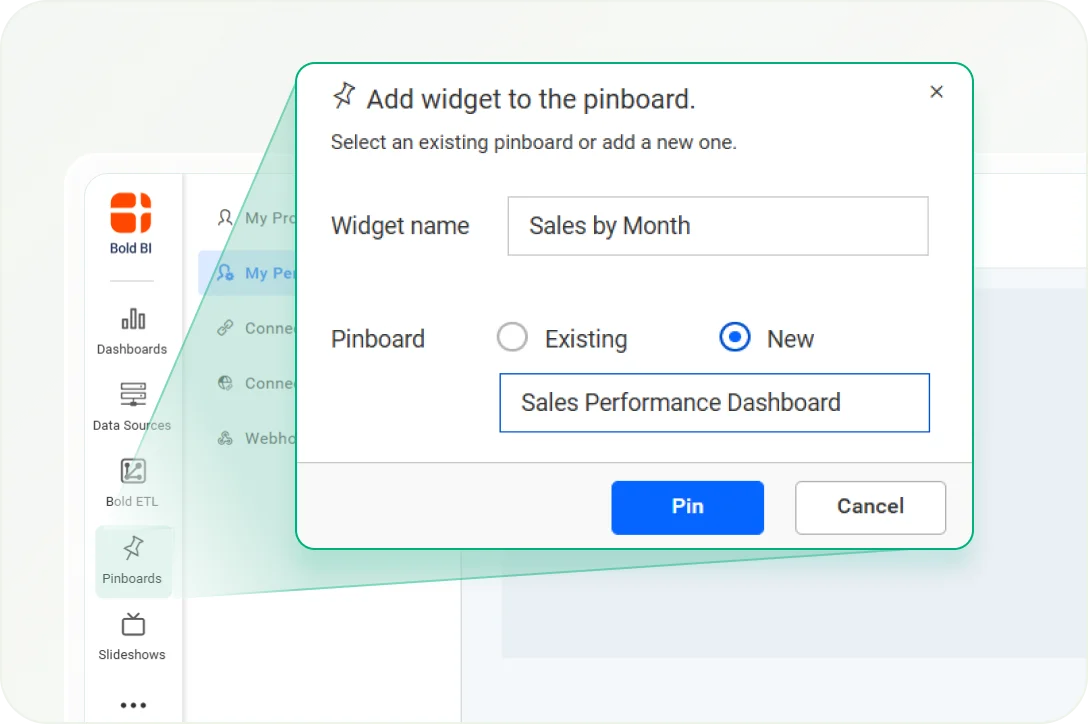
Save a personal view
- Save a filtered view as your own default.
- One dynamic filter updates every widget on the page.
- 08
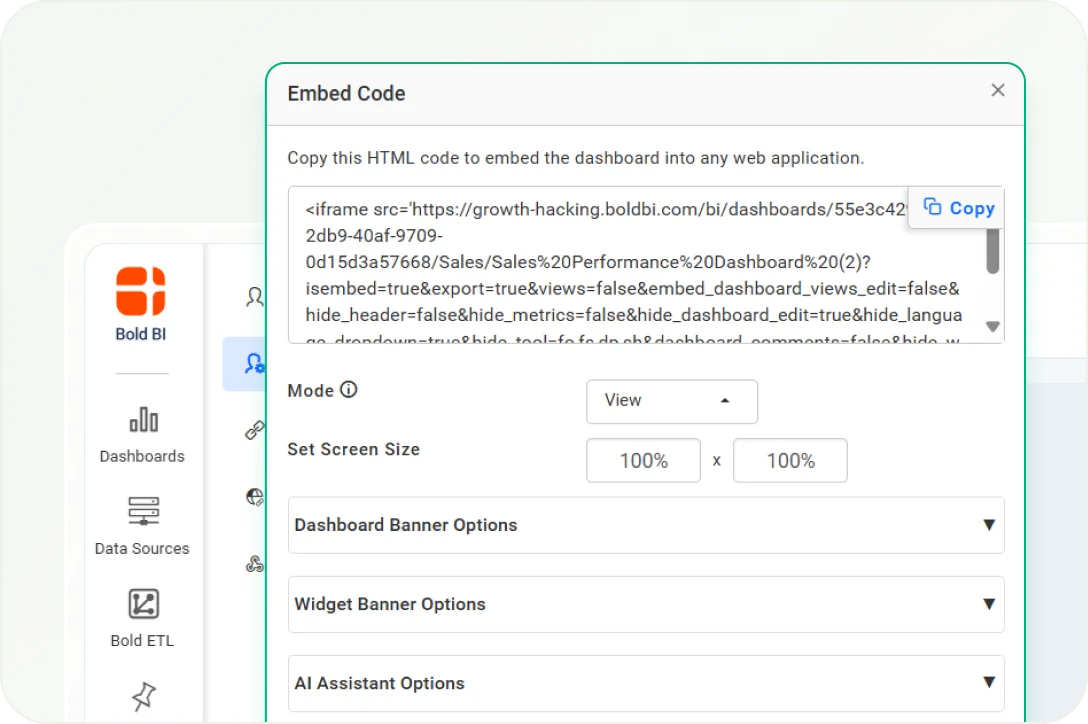
Embed dashboards
- Bold BI has 2 embedding methods: iFrame embedding and the JavaScript SDK.
- Embedding is available in both editions, with token-based security in both methods.
Which collaboration features does Bold BI include?
Bold BI includes 9 collaboration features, listed here with what each does and where it is available.
| Feature | What it does | Where it is available |
|---|---|---|
| Co-editing and comments | Comment directly on a dashboard and co-edit with teammates in real time | Dashboard Designer |
| Role-based access | View, edit or admin rights by role | Dashboard Designer |
| Row-level security | Scopes what each person or tenant sees, at the data layer | Dashboard Designer |
| Version control | Roll back to an earlier version of a dashboard | Both editions (version history) |
| Export | PowerPoint, Image, PDF, Excel or CSV | Dashboard Designer |
| Scheduled email reports | Scheduled reports and export (PDF, Excel and more) | Both editions |
| Audit trail | Included with version history | Both editions |
| Personal views | Save a filtered view as your own default | Dashboard Designer |
| Embedding | iFrame or JavaScript SDK | Both editions |
What are the known limitations of Bold BI collaboration?
Slideshows and TV mode: viewers need to sign in, even when the dashboards are public.
Cloud Edition dashboards do not refresh automatically: set a refresh schedule for each dashboard, and alerts run on a schedule you configure.
The AI Agent answers questions on existing dashboards and does not edit them.
The AI Assistant cannot query more than one datasource in a single conversation.
Where can I find Bold BI support and resources?
Bold BI support is included at no extra charge on every paid tier. The free trial is 30 days long, and these 3 resources help teams get started.
Dedicated support team
Create a support ticket; support is included at no extra charge on every paid tier.
Create a ticketTrusted & recognized
How do customers rate Bold BI?
G2 rates Bold BI 4.4 out of 5, and Capterra, GetApp and Software Advice rate it 4.9 out of 5.
Rating as of October 2026
- G2 Leader (Fall 2025)
- G2 High Performer - EMEA (Fall 2025)
- G2 Regional Leader - Americas (Fall 2025)
- Visual Studio Magazine Reader's Choice (2025)
FAQ
Bold BI collaboration questions, answered
Can teams comment on and co-edit Bold BI dashboards?
Yes. You can comment directly on a dashboard and co-edit with teammates in real time.
How does Bold BI control who can view or edit a dashboard?
Bold BI assigns view, edit or admin rights by role. Row-level security scopes what each person or tenant sees, enforced at the data layer.
Which formats can Bold BI export dashboards to?
Any dashboard can be exported to PowerPoint, Image, PDF, Excel or CSV.
Does Bold BI send scheduled email reports?
Yes. Scheduled email reports and export (PDF, Excel and more) are included in both editions. A scheduled dashboard email can include an AI-generated summary when Enable AI Summary is on in the scheduling window. In Cloud Edition, alerts run on a schedule you configure.
Does Bold BI keep an audit trail and version history?
Yes. An audit trail and version history are included in both editions: Cloud Edition and On-Premises Edition. Version control lets you roll back to an earlier version of a dashboard.
How can I embed Bold BI dashboards?
Bold BI has 2 embedding methods: iFrame embedding and the JavaScript SDK. Both support token-based security, and embedding is available in both editions.
Is there a free trial of Bold BI?
Yes. The free trial is 30 days long, requires no credit card and includes full feature access from day one.
Articles
Where can I read more about Bold BI collaboration?
Three Bold BI articles cover dashboard comments, collaborative BI and data alert notifications; dashboards export to PDF, Excel or CSV.



Try Bold BI collaboration free for 30 days
The free trial is 30 days long, requires no credit card and includes full feature access from day one.