
Release Announcement: Bold BI 17.1.30 has arrived! Explore the latest features.

Responsible AI

Our AI Principles

Understand how AI works with your data.

Bold BI's AI features help you create visualizations, ask questions about your data, and summarize dashboard information. These capabilities depend on the features you use, the AI provider configuration, and the access controls applicable to your deployment. Bold BI does not use customer data to train or fine-tune its own AI models.

Features and administrative controls vary by product version, deployment, and configuration.

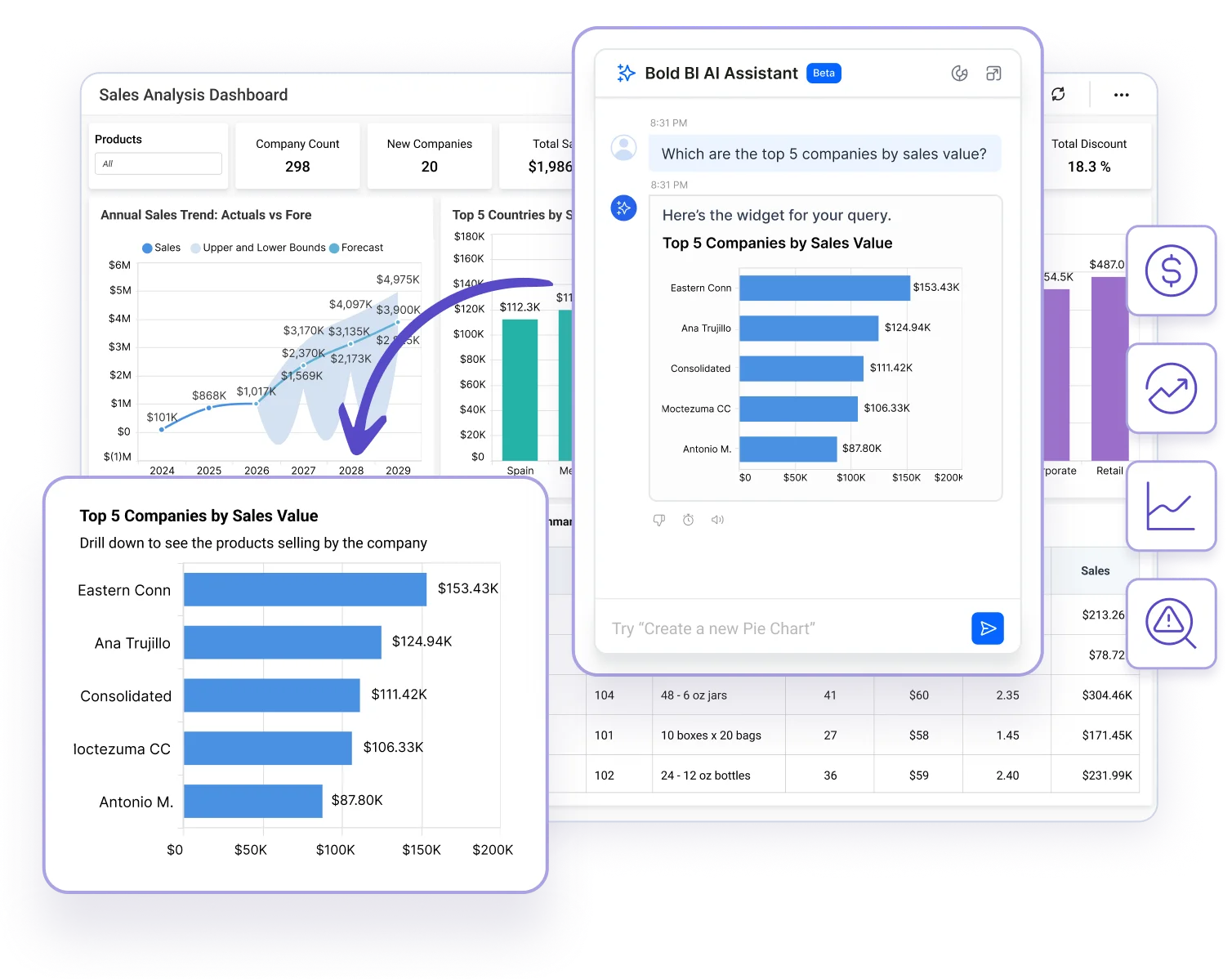
Bold BI AI Assistant answering a plain-English question with a chart inside a live dashboard
Our principles

Six principles for how AI works with your data

Each principle explains what Bold BI's AI features do with your information and what depends on your provider and configuration.

1. Your data and model training

Bold BI does not use customer data to train or fine-tune its own AI models.

What this means

  • AI requests are processed by the provider configured for your deployment.
  • When you use your own provider credentials, that provider’s terms, account settings and data-processing policies also apply.
  • Review the selected provider’s documentation for its training, monitoring, storage and retention practices.

2. Be clear about the information AI processes

The information included in an AI request depends on the task.

What this means

  • It may include your question, data source metadata, query results, widget data, and relevant conversation context or instructions.
  • Questions, metadata and query results can contain sensitive information. Consider the information you include in a prompt and the provider configured to process it.

3. Respect configured access controls

AI features use Bold BI’s authentication, authorization and data-source security framework.

What this means

  • Access depends on the requesting user’s identity, permissions, data source configuration and the operation being performed.
  • Administrators should configure and validate the security rules required for their deployment, including row-level security and embedded-user identity where applicable.
  • Connected tools and external services also have their own access requirements.

4. Make provider choices clear

Bold BI supports a built-in AI service and configurations that use your own provider credentials.

What this means

  • Supported provider integrations include OpenAI, Azure OpenAI and Anthropic, subject to your product version and deployment.
  • Available models depend on the selected provider and configuration.
  • When you use your own credentials, provider usage billing and account-level limits are managed through your provider account.

5. Keep people involved

AI-generated answers, summaries and visualizations can contain errors or omit relevant context.

What this means

  • Review the underlying data, filters, calculations and generated output before relying on them for important decisions.
  • Review and refine generated visualizations using the available dashboard design tools.
  • Where feedback controls are available, you can rate responses to help the Bold BI team identify issues and assess improvements.

6. Make usage and data handling understandable

For deployments using Bold BI’s managed AI service, applicable credit and rate-limit controls govern usage.

What this means

  • Managed-service requests are checked against the available credit balance.
  • These controls are separate from the billing and limits imposed by a provider when you use your own credentials.
  • Depending on the feature, deployment and configuration, Bold BI may store conversation history, request and response information, usage records and feedback.
Data handling

What information each AI task may process

The information included in an AI request depends on the task. Questions, metadata, and query results can contain sensitive information. Consider the information you include in a prompt and the provider configured to process it.

AI taskInformation that may be processed
Create or update a visualizationYour question, data source schema, configured value synonyms, and relevant instructions or conversation context.
Answer a question about dataYour question, relevant data source metadata, query results needed to formulate the answer, and relevant context or instructions.
Summarize a widget or dashboardYour question where applicable, widget titles and types, column bindings, displayed values or data points, and relevant context.
Use an AI Assistant or connected tool, where availableInformation needed for the task, including relevant conversation context, instructions, and applicable tool inputs or results. Connected services may introduce additional processing destinations.

Query results may contain aggregated values or detailed records, depending on the query and applicable access controls. These results should not be assumed to be anonymous.

Controls

The controls that apply to AI

Features and administrative controls vary by product version, deployment, and configuration.

ControlWhat it doesApplies to
AI provider choiceUse Bold BI’s built-in AI service, or configure your own provider credentials for OpenAI, Azure OpenAI or Anthropic.Subject to your product version and deployment.
Access controlsAI features use Bold BI’s authentication, authorization and data-source security, including row-level security and embedded-user identity where configured.Depends on the user’s identity, permissions, data source configuration and the operation being performed.
Managed-service credits and rate limitsGovern AI usage; each request is checked against the available credit balance.Deployments using Bold BI’s managed AI service.
Provider billing and limitsUsage billing and account-level limits are managed through your provider account.Deployments using your own provider credentials.
Response feedbackRate responses to help the Bold BI team identify issues and assess improvements.Where feedback controls are available.

Review the AI configuration documentation for the options available in your deployment.

Storage and retention

Depending on the feature, deployment, and configuration, Bold BI may store conversation history, request and response information, usage records, and feedback. Removing a conversation from the history view does not necessarily erase all associated stored records.

Storage, access, retention, and deletion depend on the deployment and service involved. Review the applicable privacy and service documentation, or contact Bold BI support for details. Provider-side storage and retention are governed separately by the provider's terms and configuration.

Limits of AI output

AI-generated answers, summaries, and visualizations can contain errors or omit relevant context. Review the underlying data, filters, calculations, and generated output before relying on them for important decisions.

If an AI response appears incorrect or exposes information unexpectedly, report it to Bold BI support.

FAQ

Questions about AI in Bold BI

Does Bold BI use my data to train AI models?

Bold BI does not use customer data to train or fine-tune its own AI models. AI requests are processed by the provider configured for your deployment, and when you use your own provider credentials, that provider's terms, account settings and data-processing policies also apply. Review the provider's documentation for its training, monitoring, storage and retention practices.

What information does Bold BI's AI process?

It depends on the task. An AI request may include your question, data source metadata such as the schema and configured value synonyms, query results, widget data, and relevant conversation context or instructions. Query results may contain aggregated values or detailed records, depending on the query and applicable access controls, and should not be assumed to be anonymous.

Which AI providers does Bold BI support?

Bold BI supports a built-in AI service and configurations that use your own provider credentials. Supported provider integrations include OpenAI, Azure OpenAI and Anthropic, subject to your product version and deployment, and the available models depend on the selected provider and configuration.

Can I use my own AI provider credentials?

Yes. When you use your own credentials, the provider's terms, account settings and data-processing policies apply, and provider usage billing and account-level limits are managed through your provider account. These are separate from the credit and rate-limit controls of Bold BI's managed AI service.

Do permissions and row-level security apply to AI?

AI features use Bold BI's authentication, authorization and data-source security framework, so access depends on the requesting user's identity, permissions, data source configuration and the operation being performed. Administrators should configure and validate the security rules required for their deployment, including row-level security and embedded-user identity where applicable.

Does Bold BI store my AI conversations?

Depending on the feature, deployment and configuration, Bold BI may store conversation history, request and response information, usage records and feedback. Removing a conversation from the history view does not necessarily erase all associated stored records. Storage, access, retention and deletion depend on the deployment and service involved; contact Bold BI support for details.

Should I rely on AI-generated answers without checking them?

AI-generated answers, summaries and visualizations can contain errors or omit relevant context. Review the underlying data, filters, calculations and generated output before relying on them for important decisions, and refine generated visualizations using the dashboard design tools.

How is AI usage limited?

For deployments using Bold BI's managed AI service, applicable credit and rate-limit controls govern usage, and requests are checked against the available credit balance. When you use your own provider credentials, billing and limits are set by your provider account instead.

Ready to get started?

Try Bold BI's AI on Your Own Data

Ask questions in plain English, then review and refine every answer and visualization before you act on it.