
How AppFolio Users Can Benefit from Embedded Analytics

TL;DR: Embedded analytics for AppFolio empowers property managers with actionable understanding, improved decision-making, and a unified record view. With Bold BI®, you can connect your AppFolio data, create interactive dashboards, and embed them directly into your portals for a seamless analytics experience.
Introduction
AppFolio users, primarily property managers and investors, often struggle to gain deeper insights as their portfolios expand. While AppFolio handles leases, tenants, and maintenance effectively, analyzing trends such as occupancy, rent collection, and maintenance performance often requires manual work or the use of multiple tools. Embedded analytics solves this by integrating advanced dashboards directly into the platforms teams already use. With real-time access to information and the ability to combine AppFolio metrics with other business information, property managers can make faster, smarter decisions and share insights seamlessly across portals or internal systems.
Key challenges AppFolio users face in data analysis
Managing properties with AppFolio is efficient for daily operations, but without a dedicated analytics tool, users often encounter limitations that make strategic planning harder. Here are five common challenges.
- Limited visibility across portfolios: AppFolio users often find it difficult to view performance across multiple properties. Data remains fragmented, forcing managers to manually piece together insights.
- Difficulty tracking performance trends: Understanding long-term patterns, such as occupancy fluctuations, rent collection consistency, or maintenance delays, becomes challenging when information is presented in static views.
- Manual data consolidation: Combining AppFolio records with financial or marketing metrics typically requires exporting spreadsheets and merging them manually, which is time-consuming and prone to errors.
- Lack of customizable dashboards: Default views rarely meet the needs of different stakeholders. Owners, executives, and managers often require tailored perspectives, but customization options are limited.
- Limited data sharing capabilities: Sharing insights with clients or internal teams usually involves sending files or granting platform access, which is inefficient and lacks flexibility for real-time collaboration.
These challenges underscore the need for AppFolio users to adopt a more integrated approach to analytics. Now that we’ve outlined the challenges, let’s explore how embedded analytics delivers powerful benefits for AppFolio users.
6 benefits of embedded analytics for AppFolio users
Embedded analytics integrates advanced dashboards and visualization directly into the platforms property managers already use, eliminating the need for external tools and manual processes. Here are six reasons why it’s the perfect fit for AppFolio users:
- Real-time decision-making: Embedded analytics brings live dashboards and reports directly into AppFolio’s interface. Property managers can monitor occupancy rates, rental trends, and maintenance costs without switching platforms, enabling faster, factual results that improve operational efficiency.
- Enhanced tenant satisfaction: By analyzing tenant feedback and behavior within AppFolio, managers can identify pain points and proactively address issues. This leads to better retention, fewer vacancies, and improved overall tenant experience.
- Streamlined operations and reduced costs: Instead of exporting files to external BI tools, embedded analytics keeps intuition within AppFolio workflows. This reduces time spent on manual reporting and lowers IT dependency, cutting operational costs significantly.
- Competitive advantage through data visibility: Property managers gain a clear view of portfolio performance, market trends, and pricing strategies. This transparency helps optimize rental rates, improve marketing campaigns, and stay ahead of competitors in a fast-moving real estate market.
- Increased revenue opportunities: Analytics unlocks monetization options by identifying high-performing properties and underutilized assets. Managers can adjust pricing dynamically, upsell premium services, and maximize profitability through data-backed strategies.
- Predictive analytics for risk management: Embedded analytics powered by AI can forecast occupancy trends, maintenance needs, and financial risks. AppFolio users can plan preventive actions, reduce costly surprises, and improve long-term asset performance.
These benefits show how embedded analytics elevate AppFolio from a transactional tool to a strategic platform for property management. Next, let’s look at how you can connect AppFolio data with Bold BI to start building powerful dashboards.
How to connect AppFolio data with Bold BI
To connect your AppFolio data to Bold BI, follow these steps:
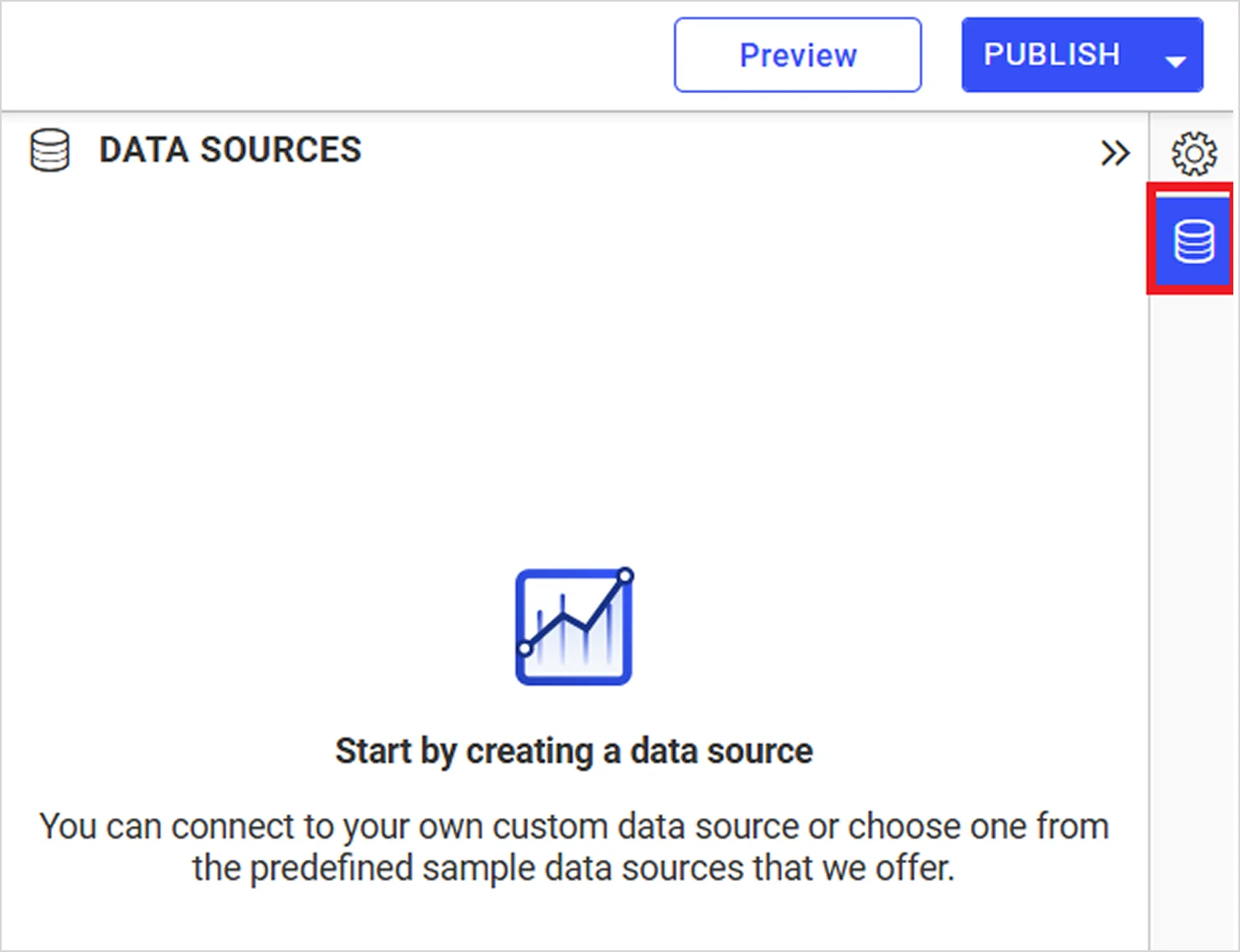
- Click the Data Sources button in the configuration panel to add a new data connection.
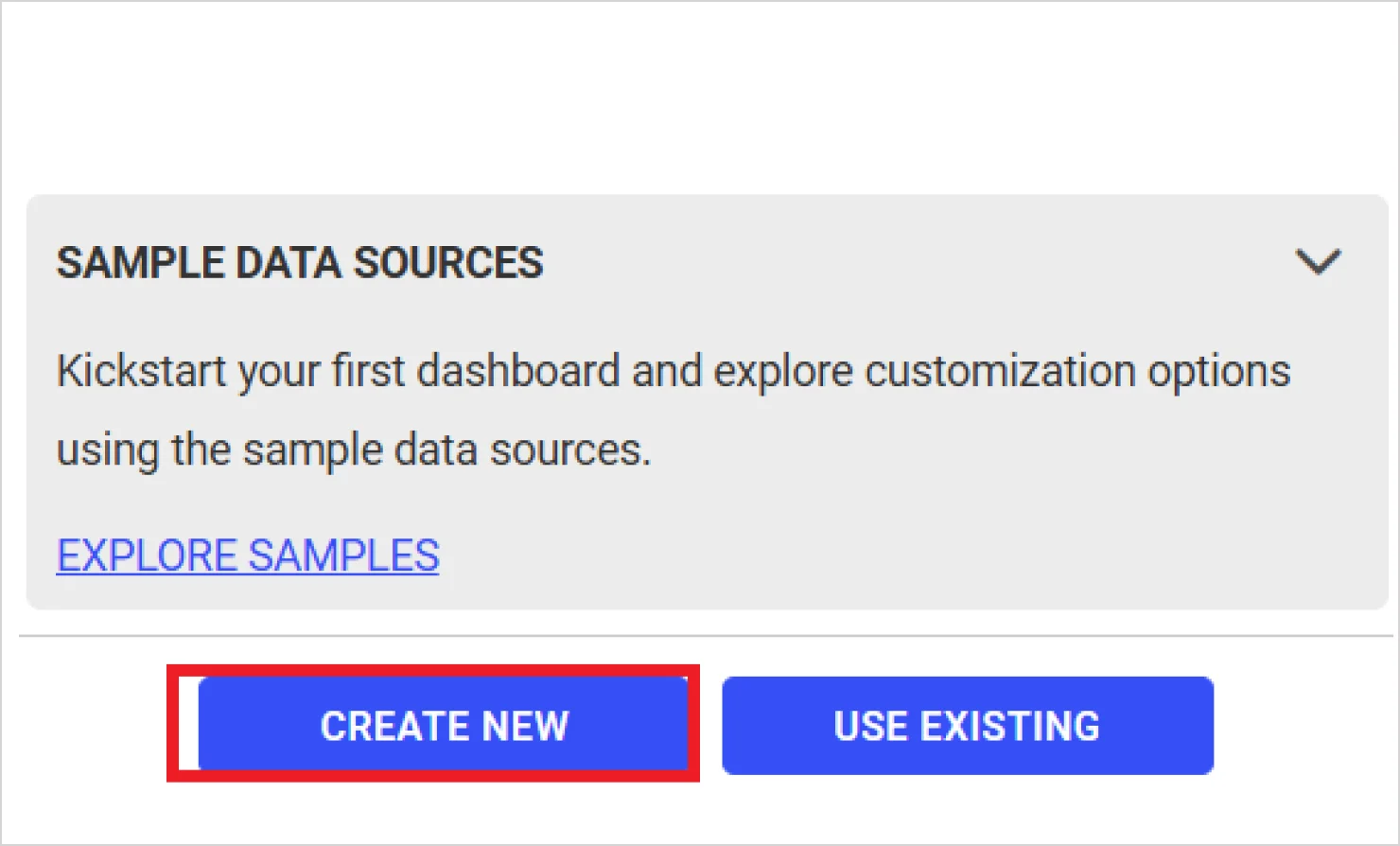
2. Click CREATE NEW to launch a new connection from the connection panel.
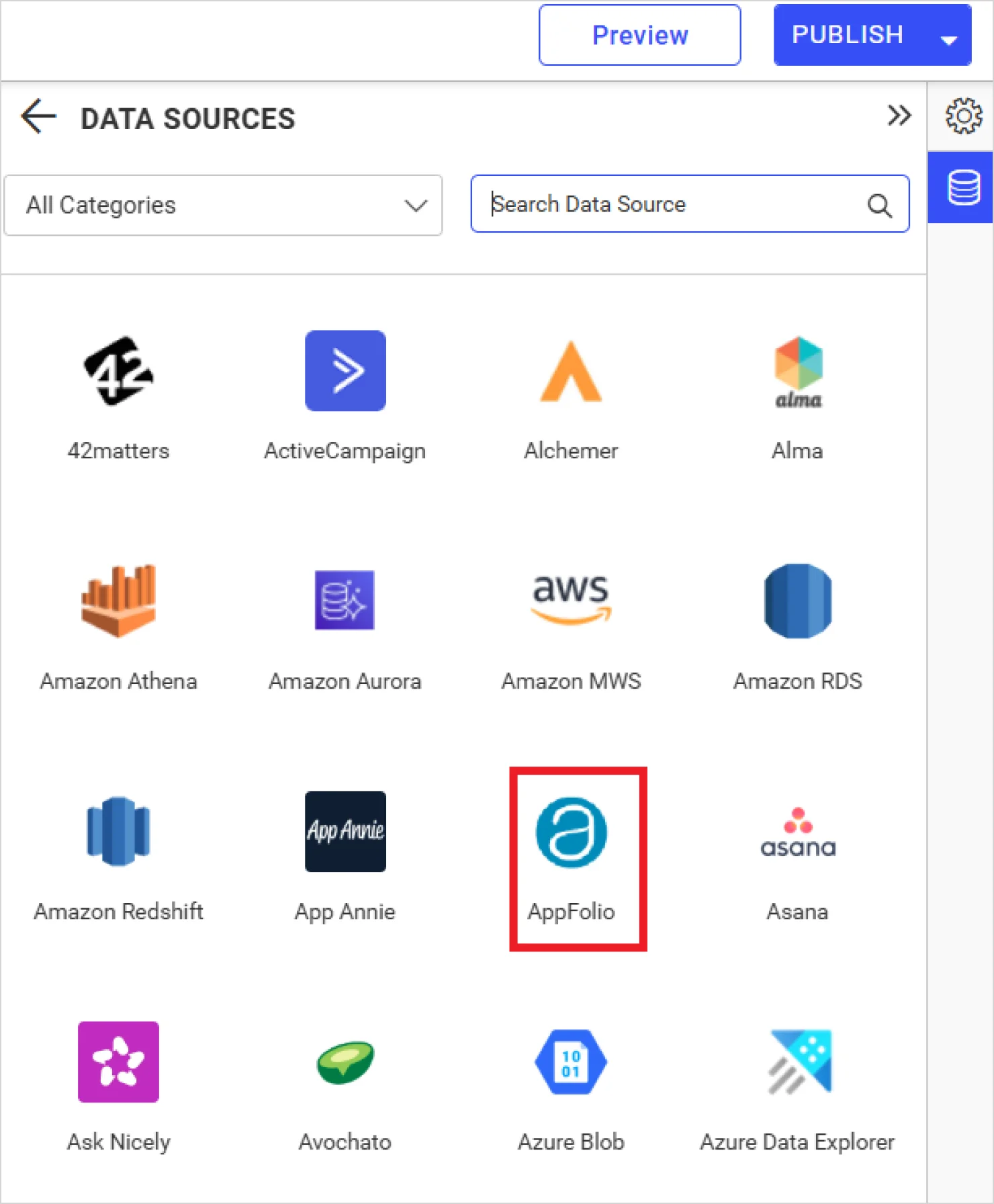
3. In the Search tab, type “AppFolio” to filter the connectors. Select the AppFolio connector in the connection panel.
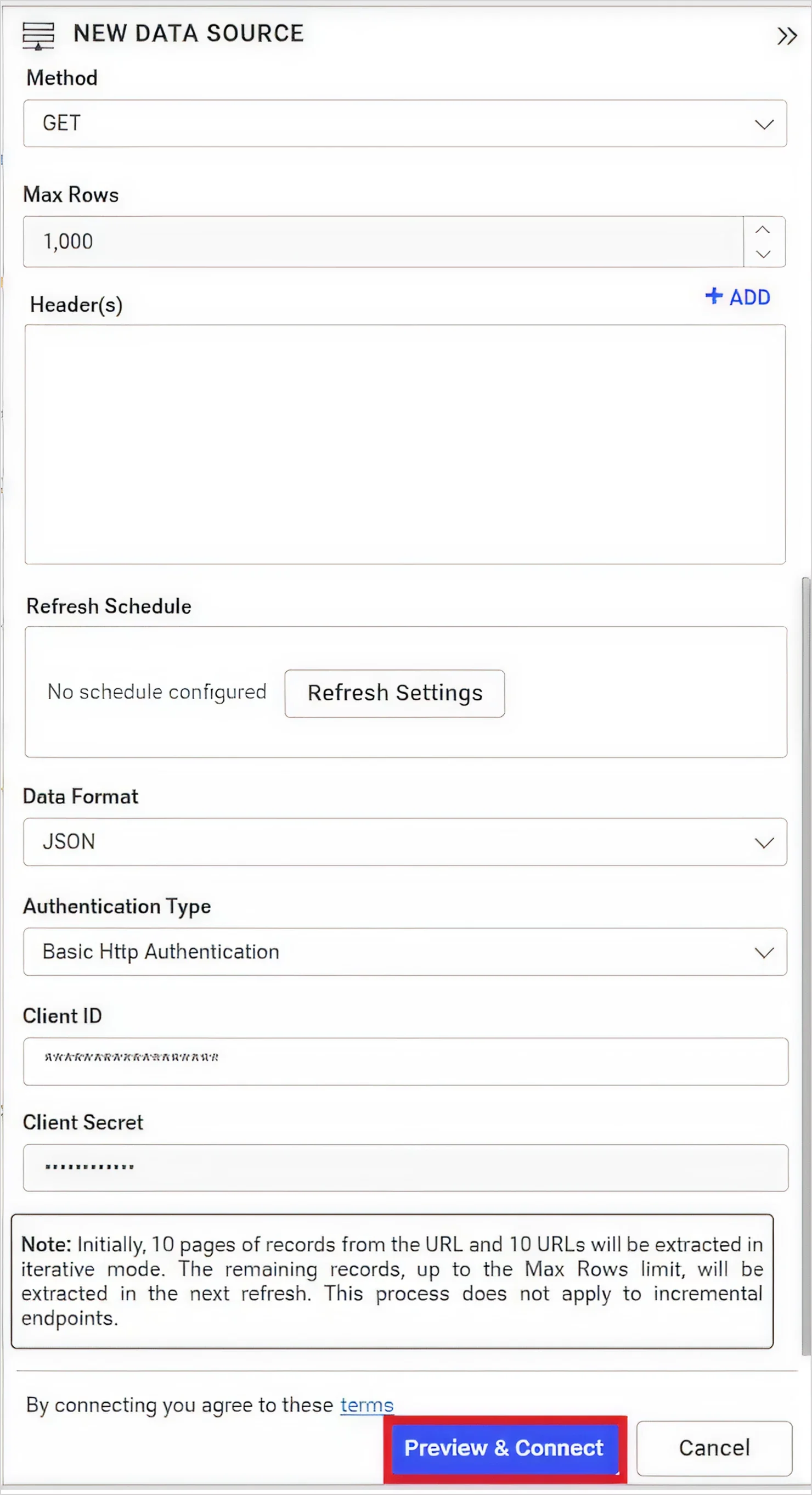
4. Configure Extract Engine, HostName, API Endpoint, Method, Data Format, Authentication, Max Rows, and Refresh Settings. Go through the documentation on creating an AppFolio data source. Refer to the AppFolio API documentation for more details. Click Preview & Connect to connect with the configurations that have been set.
5. The preview window will open, listing the data results as seen in the following image. Choose the desired columns and click Connect.
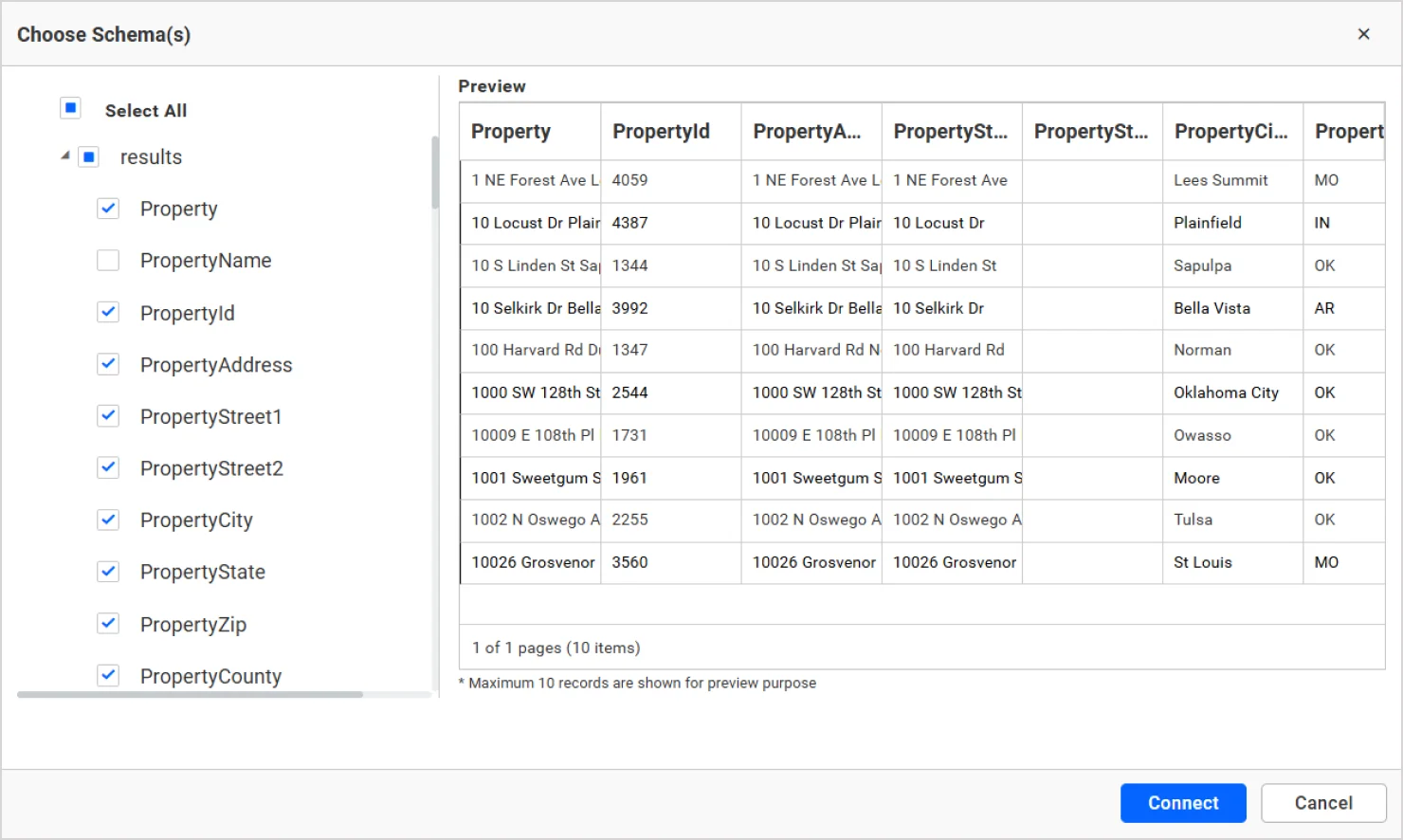
6. Drag and drop the table you created.
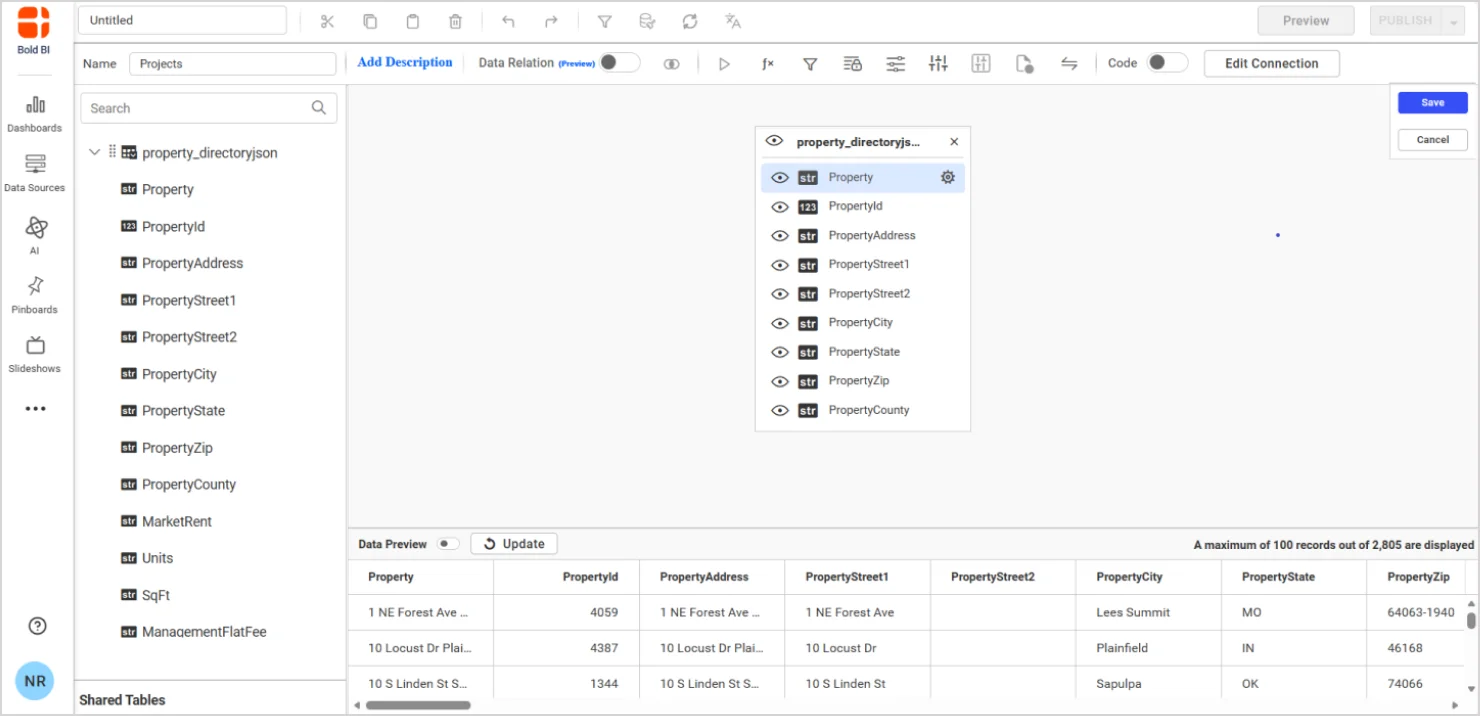
7. Click Save to complete the data source.
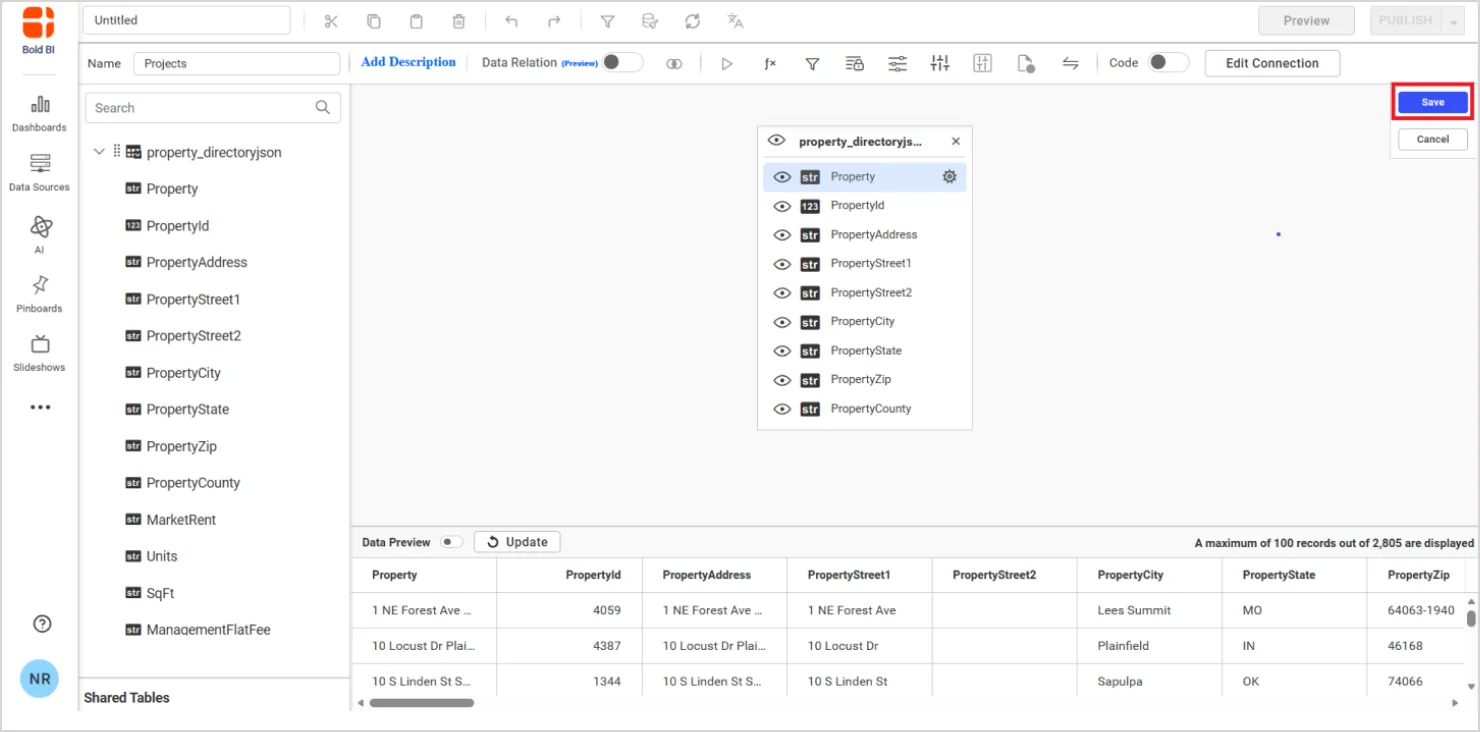
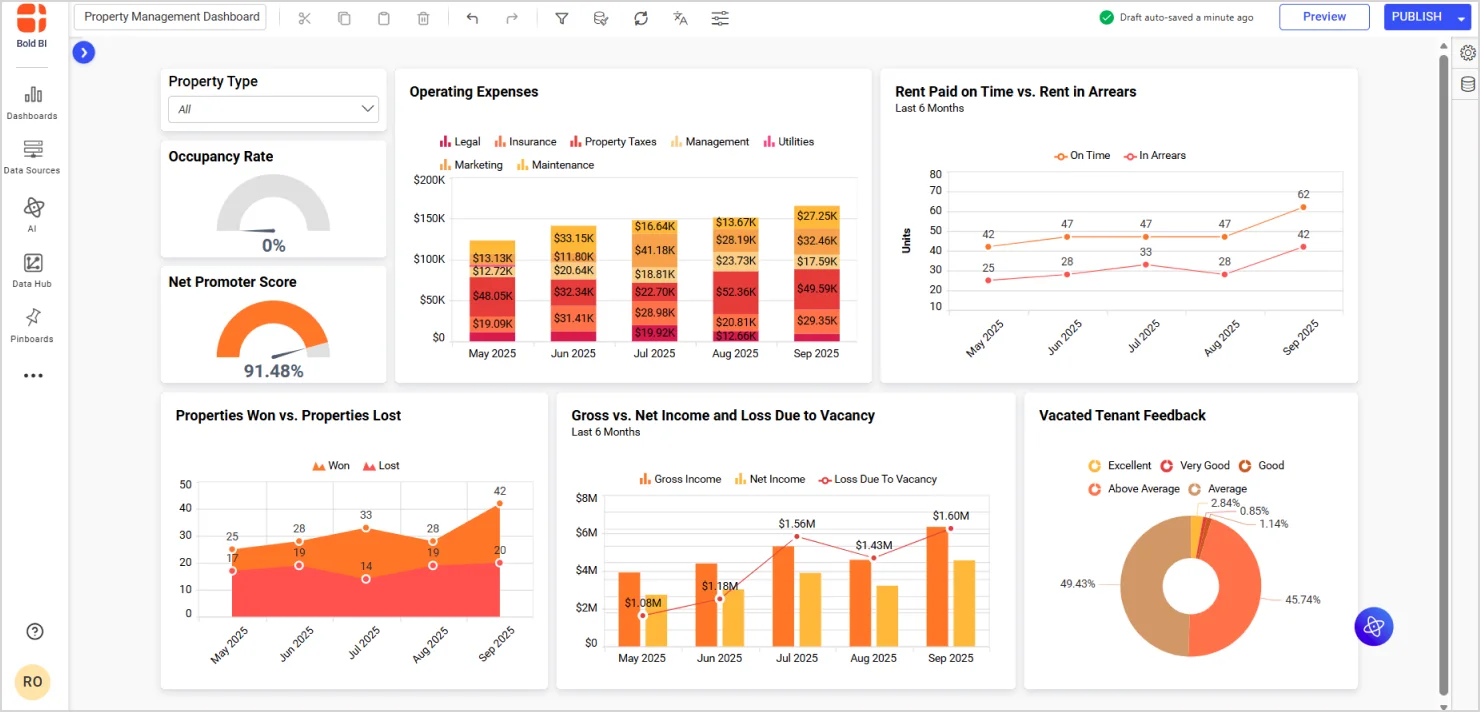
Once the data source is created, add the required widgets to your dashboard and connect data to it to visualize the metrics. The finalized dashboard will be as shown in the sample.
For detailed step-by-step instructions, visit the Bold BI AppFolio connector documentation.
Once you’ve created your AppFolio property management dashboard in Bold BI, you can embed it directly into your web portals, internal applications, or client-facing platforms. This ensures that stakeholders can access simultaneous decisions without having to switch tools.
Embedding dashboards improves:
a) User adoption: Dashboards appear where users already work.
b) Faster management: No need to log into multiple systems.
c) Consistent branding: Dashboards blend into your existing UI.
To learn how to embed dashboards, refer to the detailed guide: How to embed Bold BI dashboards
Next, let’s explore how Bold BI’s embedded analytics can be applied within AppFolio to solve real-world challenges and deliver measurable value across the property management and real estate industries.
Use cases: How Bold BI enhances AppFolio analytics
Embedded analytics, especially when powered by Bold BI, offers transformative capabilities for both property management and real estate professionals. By integrating dashboards directly into AppFolio, users can visualize performance, uncover trends, and make data-driven choices without leaving the platform. Below are tailored built-in dashboards developed by Bold BI for AppFolio users.
Property management analytics dashboard
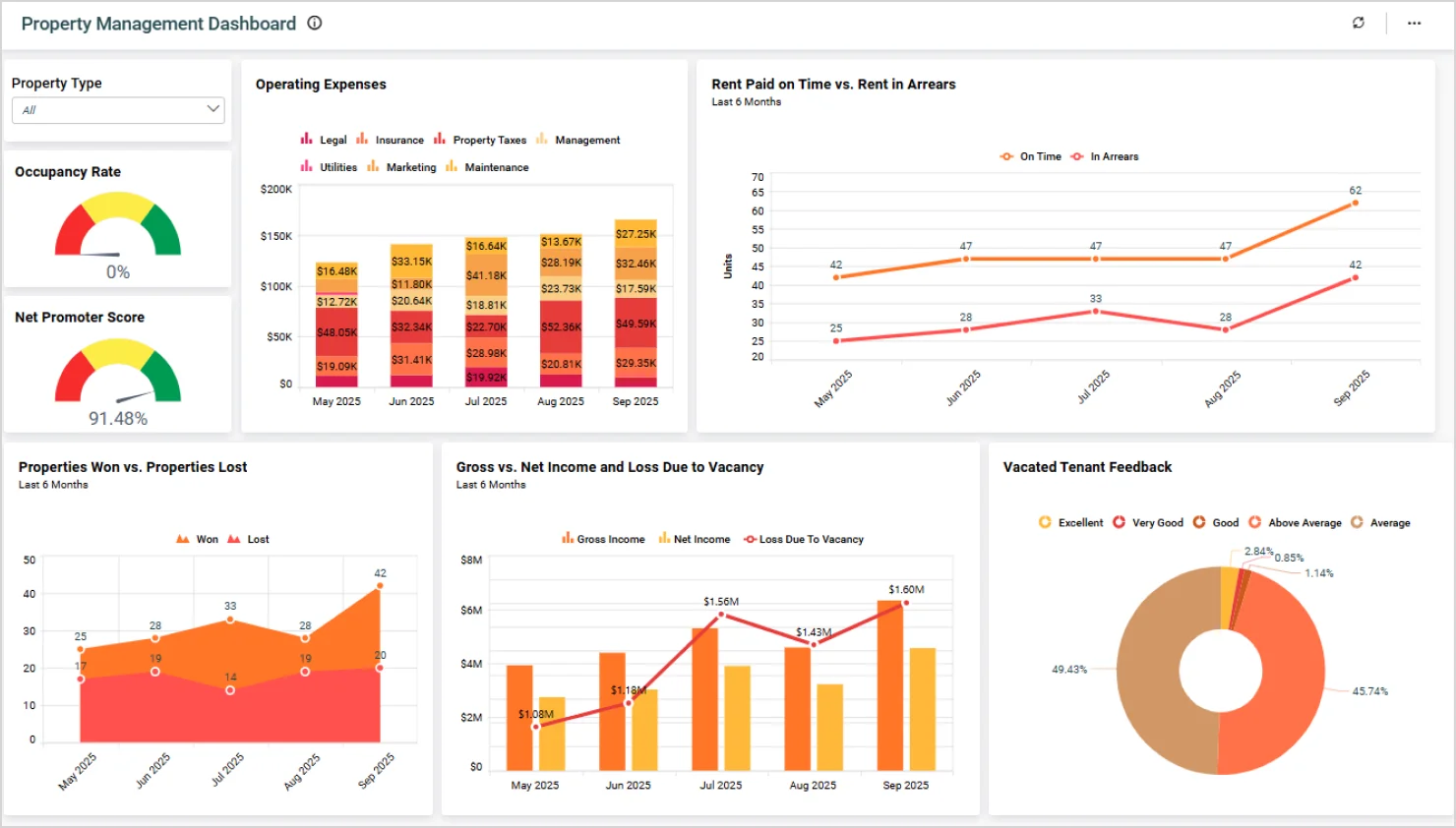
Property managers can use embedded analytics to gain a comprehensive view of their entire portfolio. The Property Management Dashboard powered by Bold BI allows users to monitor occupancy rates, rent collection, maintenance requests, and tenant engagement in real-time. This centralized visibility helps managers identify underperforming units, optimize operational workflows, and improve tenant satisfaction, all from within AppFolio.
Real estate performance dashboard
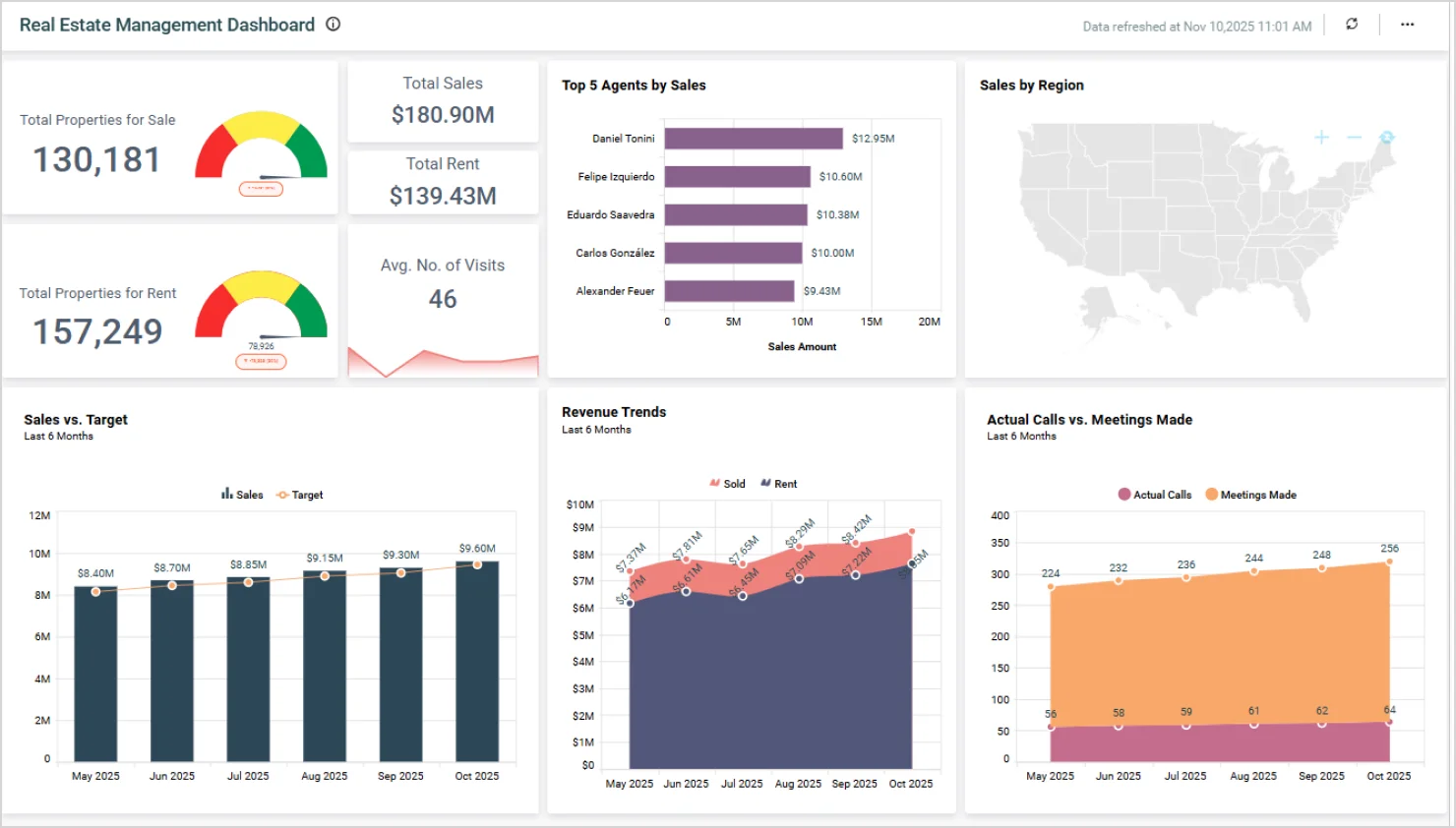
Real estate professionals benefit from embedded analytics with the Real Estate Management Dashboard, which tracks sales pipelines, property value trends, and agent performance. With Bold BI, users can visualize market data, monitor lead conversion, and evaluate the ROI of marketing campaigns. This empowers real estate firms to make informed strategic opinion, enhance client relationships, and maximize investment returns by leveraging data directly integrated into AppFolio.
Why is Bold BI the best analytics platform for AppFolio users?
Bold BI stands out among other top embedded analytics platforms for AppFolio users due to the following benefits:
- Effortless embedded analytics: With dedicated SDKs and APIs, Bold BI allows quick and code-light integration into AppFolio workflows, ensuring instant access to dashboards without switching platforms.
- AI-powered analytics: Bold BI equips AppFolio users with advanced AI capabilities, including AI Copilot, generative narrations, and prompt-to-dashboard tools, enabling you to create full dashboards using natural language, simplifying data exploration and accelerating insights.
- Interactive dashboard designer: Bold BI’s Dashboard designer is dynamic and responsive, allowing users to filter, drill down, and interact with present data.
- Self-service analytics: Bold BI’s user-friendly interface lets non-technical users create, customize, and share dashboards without coding or waiting on IT.
- Collaboration: Bold BI allows AppFolio users to comment on dashboards, share thoughts, and track changes through audit logs, maintaining accountability, which is especially useful for multi-department property management operations.
- Data alerts and notifications: With Bold BI, you can set up data-driven alerts that notify users of key metrics across thresholds, such as rent delinquency rates or maintenance backlog, enabling proactive management.
- Mobile-friendly dashboards: Bold BI dashboards are optimized for mobile devices, allowing property managers to access insights on the go, whether inspecting properties or meeting with clients.
- Custom branding: Organizations can white-label Bold BI dashboards to match their brand identity, creating a seamless experience for internal teams and external stakeholders.
- Integration with AppFolio APIs: Deep integration with AppFolio’s APIs ensures that data syncs in real-time, reducing manual data entry and improving dashboard accuracy. Bold BI connects directly to AppFolio’s data endpoints, enabling users to pull live data into interactive dashboards with minimal setup. This seamless connection empowers property managers to automate reporting, monitor KPIs, and make informed decisions, all within the AppFolio environment.
Key takeaways: Transform AppFolio with Bold BI
Embedded analytics is the key to transforming AppFolio from a reporting tool into a strategic decision-making platform. With Bold BI®, property managers and real estate professionals can unlock concurrent decisions, streamline operations, and deliver greater value to stakeholders.
Ready to unlock advanced analytics for your AppFolio reporting? Start by signing up for a free trial or requesting a personalized demo. Connect your AppFolio data sources, configure relationships, and create interactive dashboards that deliver real-time insights, all within Bold BI.
Frequently asked questions
- 1.
What is embedded analytics in AppFolio workflows?
Embedded analytics allows AppFolio users to access dashboards directly within their workflow without switching tools.
- 2.
Can AppFolio data be combined with other sources?
Yes, AppFolio data can be blended with other business data for a broader analytical view.
- 3.
Is embedded analytics suitable for non-technical users?
Yes. Embedded analytics dashboards are designed to be interactive and easy to use, allowing non‑technical users to explore data and gain insights without requiring technical expertise. - 4.
How does embedded analytics improve operational visibility?
It provides real time insights into property, accounting, and performance data in a single view.
- 5.
What role does embedded analytics play in decision-making?
It helps users act faster by surfacing insights at the point of action.