
Bold BI dashboard designer supports connecting Microsoft Outlook calendar web services through REST API.
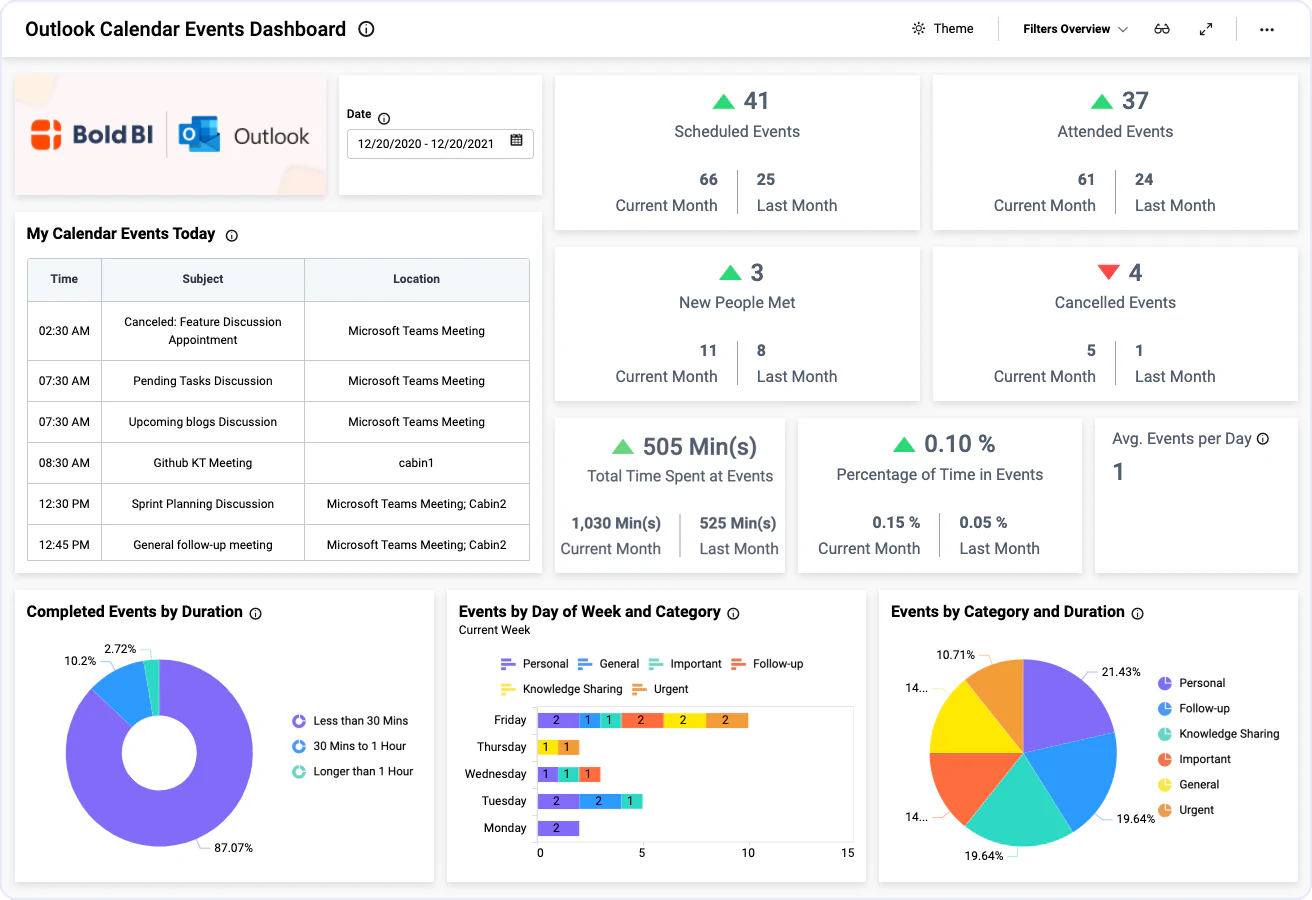
Bring your Outlook Calendar data to Bold BI® and create beautiful dashboards with useful widgets. By embedding dashboards inside your application, you can visualize the story behind your data and make effective business decisions.
Create your API URL manually on your own to fetch the data.
Set the maximum number of rows to be fetched from Outlook Calendar connector.
Configure data refresh to keep your dashboard up to date.
The Outlook Calendar Events dashboard is included with calendar scheduled events, which lets you manage deadlines and stay on top of your event goals.
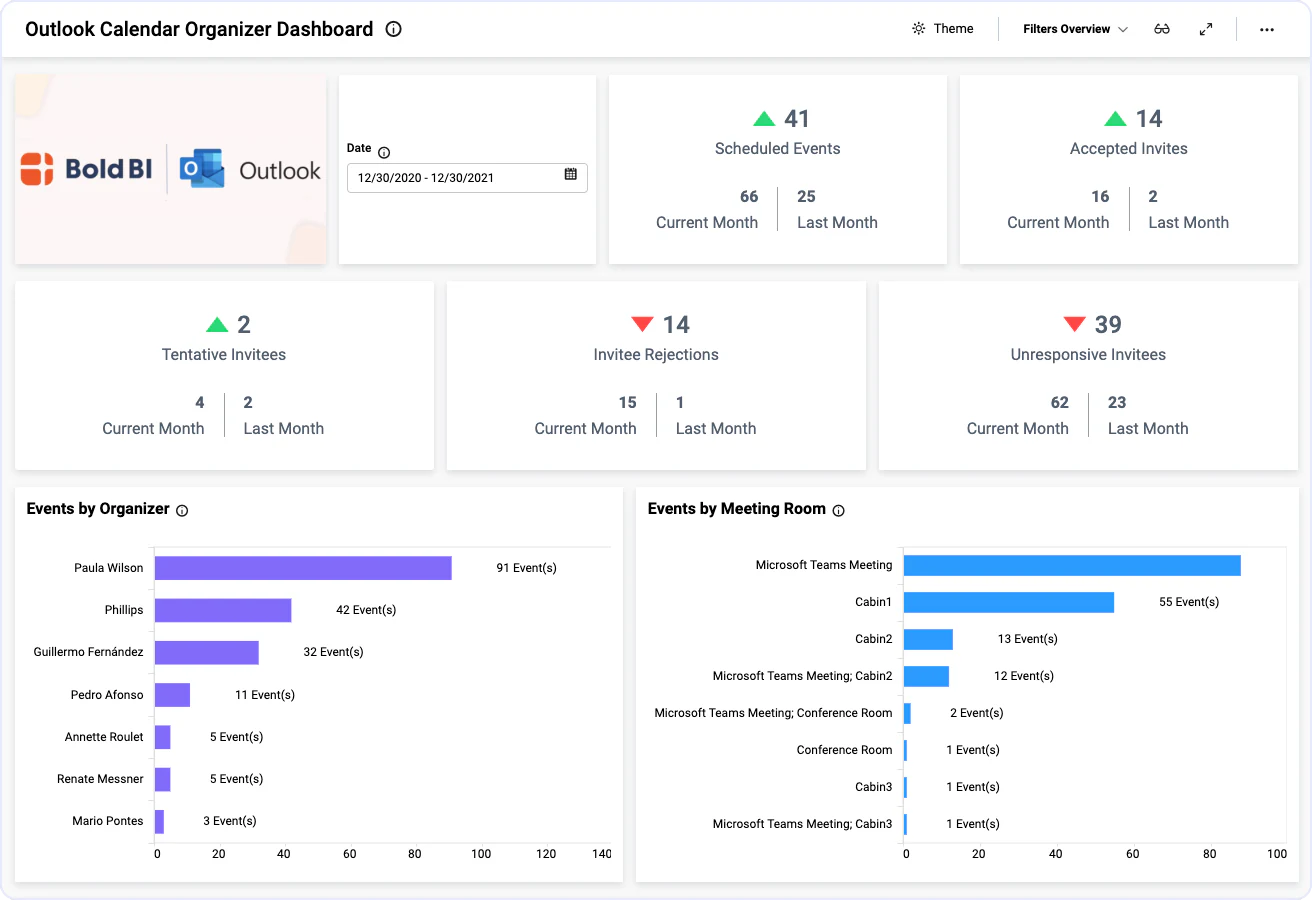
The Outlook Calendar Organizer dashboard showcases invitees' responses for scheduled events, which helps you in planning to reach your event goals.
Integrate Outlook Calendar data with other integrations, like of SQL or web data sources, and create dashboards with multiple data sources. Embed these dashboards into your application for powerful data visualization.
Integrations
Your data, wherever it lives. SQL databases, REST APIs, cloud warehouses, flat files, and SaaS tools connect without a custom pipeline.





Explore Bold BI with a 30-day free trial. Embed dashboards, connect data sources, and empower your team with actionable insights.
No credit card required.