
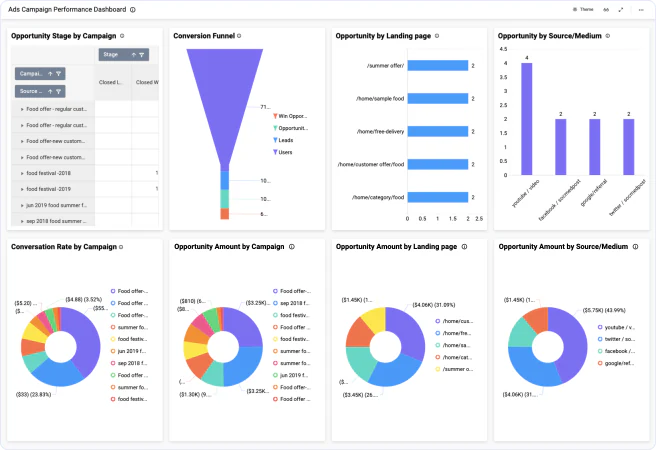
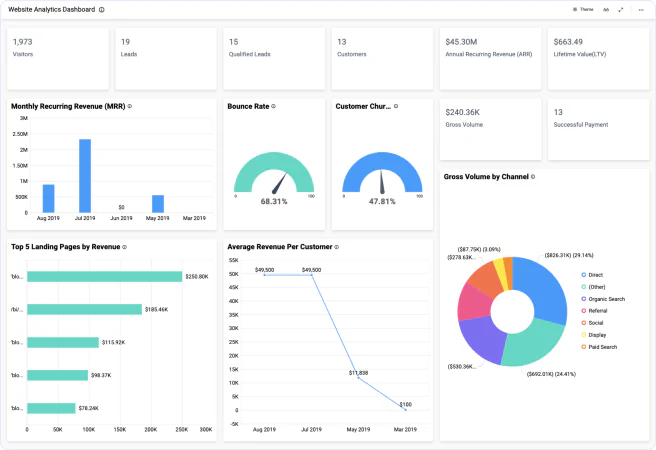
Bold BI dashboard designer supports connecting Google Analytics web services through REST API.
Build dashboards using Google Analytics data to get a more informed view of your metrics. 
Bring your Google Analytics to Bold BI® and create beautiful dashboards with useful widgets. By embedding dashboards inside your application, you will understand the story behind your data and make effective business decisions.
Access metrics and dimensions using additional drop-down options to find your insights quickly.
Mention the maximum number of rows to be fetched from Google Analytics connector.
Combine the Google Analytics data from different data sources using Shared Tables.
Configure data refresh to keep your dashboard up to date.
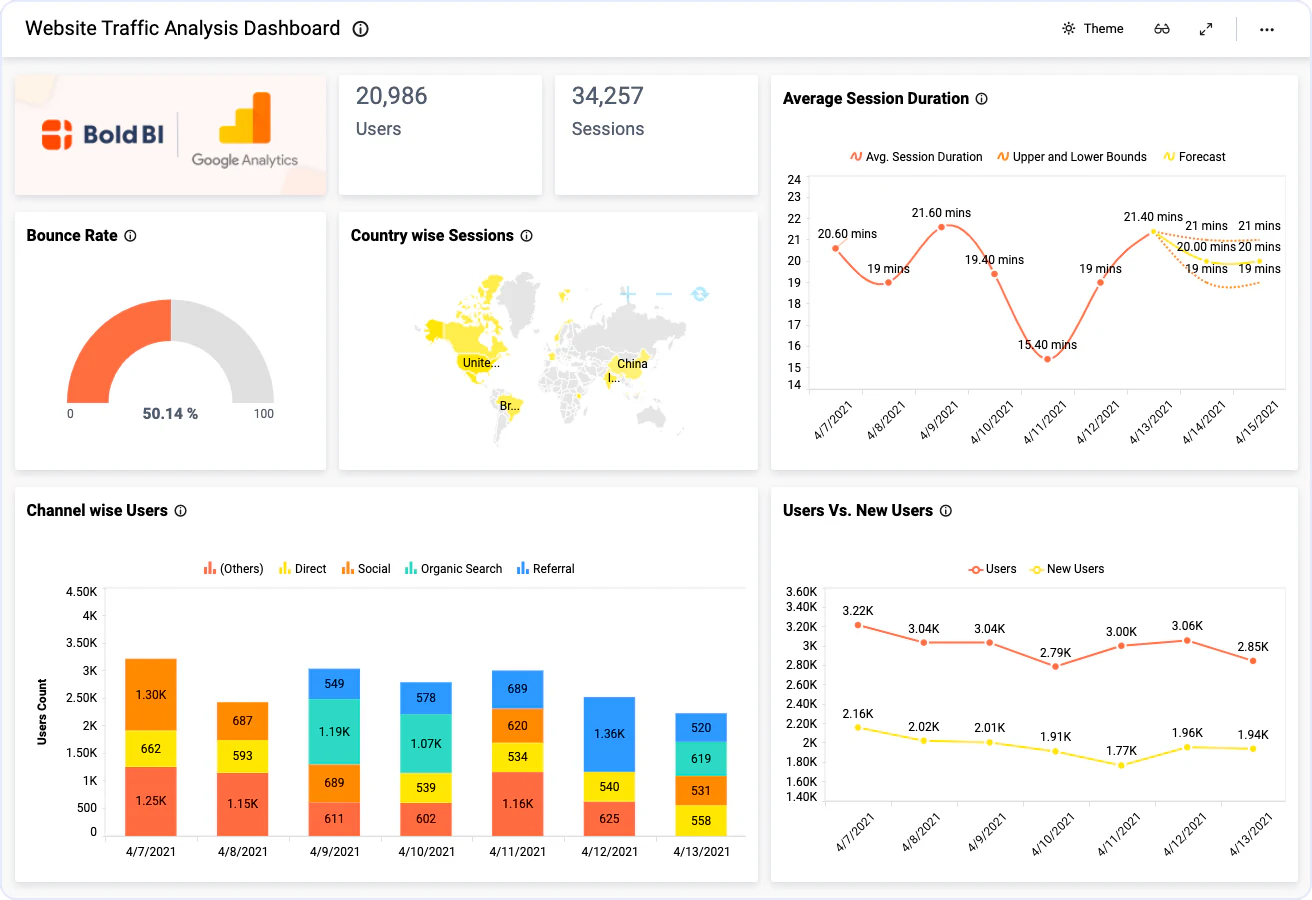
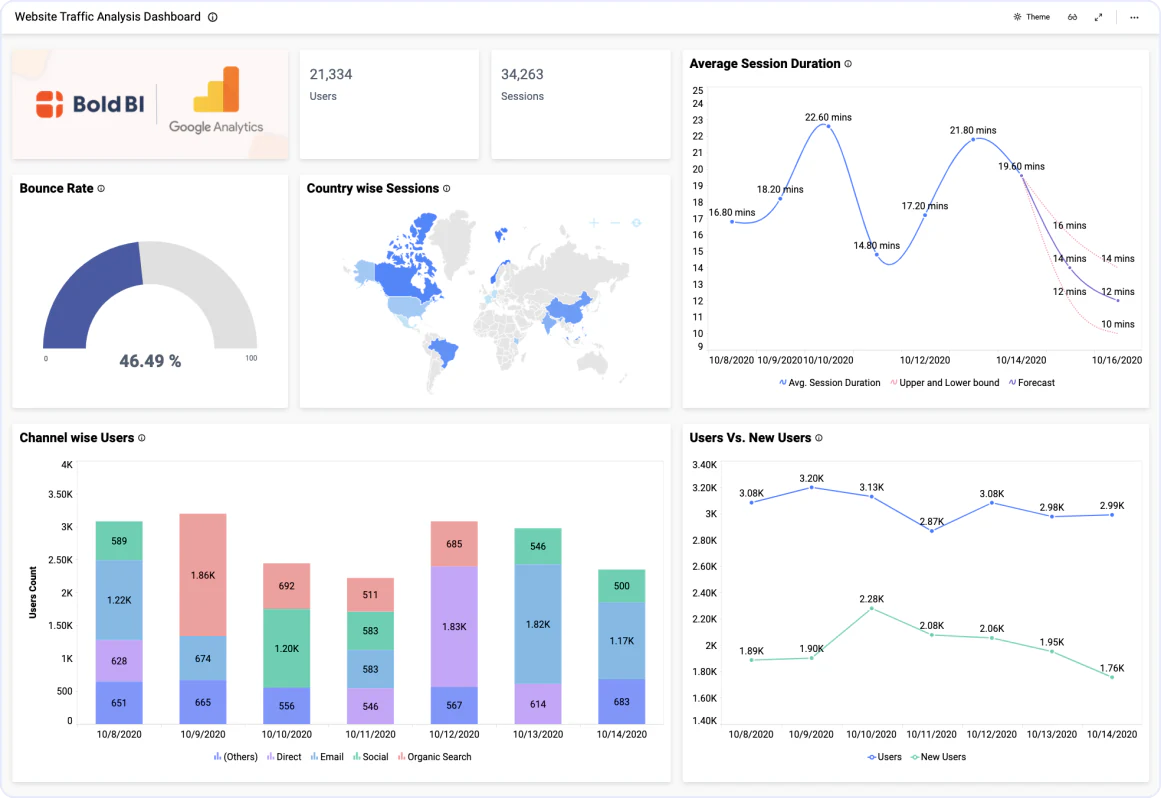
The Website Traffic Analysis Dashboard helps you to improve the productivity and effectiveness of your webpage. Considering your audience's interests, explore low-performing channels and increase website traffic by making effective business decisions.
The Page Performance Dashboard helps you to improve the performance of your webpage. With this dynamic dashboard, you can improve customer engagement rates by monitoring page views, page loading time, and low-performing pages. Enhance your customer engagement metrics with a high-performing website.
Integrate Google Analytics data with other integrations, like of SQL data sources or web data sources, and create dashboards with multiple data sources. Embed these dashboards into your application for powerful data visualization. You can combine Google Analytics and other solutions, like Salesforce, to clarify your view of your visitor-to-customer conversions rates. For example, by integrating Google Analytics' website analytical service with Salesforce's customer relationship management platform, you can monitor a wide range of KPIs and metrics, from website traffic data to customer conversion trends. With this mash up, you have all your metrics visualized in one place for better decision-making practices.
Integrations
Your data, wherever it lives. SQL databases, REST APIs, cloud warehouses, flat files, and SaaS tools connect without a custom pipeline.





Explore Bold BI with a 30-day free trial. Embed dashboards, connect data sources, and empower your team with actionable insights.
No credit card required.