8 Power BI Alternatives Compared for Embedded Analytics

 15 min read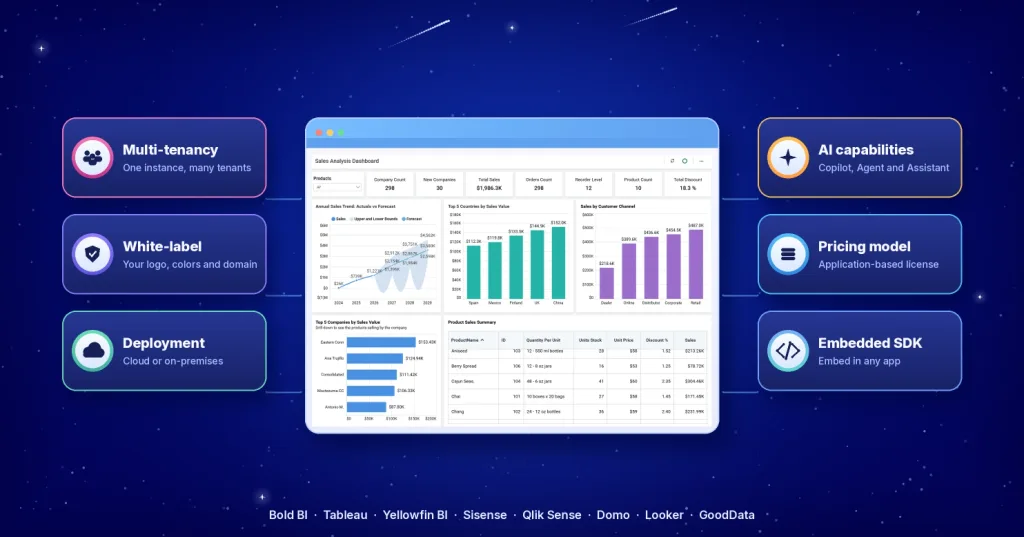
TL;DR: The eight Power BI alternatives most often compared for embedded analytics are Bold BI®, Tableau, Yellowfin BI, Sisense, Qlik Sense, Domo, Looker and GoodData. They differ most on deployment, multi-tenancy, white-labeling and pricing model. Power BI Embedded is priced by capacity; Bold BI is priced by custom quote with per-user, per-application or enterprise licensing, and ships in 3 editions (Cloud, Managed Private Cloud and On-Premises), with multi-tenant embedding in Managed Private Cloud and On-Premises.
Quick Verdict: Which Power BI Alternative Fits Which Need?
| If You Need | Recommended Platform |
|---|---|
| Customer-facing SaaS analytics | Bold BI |
| Microsoft ecosystem integration | Power BI |
| Advanced visual analytics | Tableau |
| Google Cloud analytics | Looker |
| Governed analytics | GoodData |
| White-label analytics | Bold BI, GoodData |
| AI-powered embedded analytics | Bold BI, Sisense, Qlik Sense |
Power BI remains one of the most widely used business intelligence platforms, particularly for organizations operating within the Microsoft ecosystem.
However, embedded analytics introduces a different set of requirements. Organizations embedding analytics into SaaS applications, customer portals, partner portals, and software products often require capabilities such as multi-tenancy, white-label branding, deployment flexibility, and licensing models designed for customer-facing analytics.
As organizations scale their analytics offerings, they frequently evaluate Power BI alternatives that provide greater control over the embedded analytics experience while supporting long-term growth and product adoption.
In this guide, we’ll explore eight leading Power BI alternatives for embedded analytics and compare the capabilities that make each platform stand out. For a direct feature-by-feature comparison, see Bold BI vs. Power BI.
Why Organizations Look Beyond Power BI for Embedded Analytics
Organizations usually look beyond Power BI for embedded analytics when Power BI Embedded’s capacity-based pricing, white-label branding, multi-tenancy or on-premises deployment become product requirements rather than internal analytics needs.
Common reasons include:
- Capacity-based pricing considerations as customer usage grows
- Requirements for fully branded and white-label analytics experiences
- Multi-tenant architectures for SaaS environments
- On-premises or private cloud deployment requirements
- Flexible licensing models designed for customer-facing analytics
- AI-powered analytics experiences for business users
- Greater control over embedding, security, and customization options
Understanding these requirements can help organizations identify an embedded analytics platform that aligns with their product roadmap, customer expectations, and long-term scalability goals.
How to Choose the Right Power BI Alternative
Selecting an embedded analytics platform requires evaluating more than dashboard capabilities alone. The best choice depends on how you’ll deliver analytics to customers, users, and stakeholders.
1. Deployment Requirements
Organizations operating in regulated industries or customer-managed environments often require deployment flexibility beyond a standard cloud offering.
Platforms such as Bold BI, Tableau Server, Sisense, Yellowfin BI and Qlik Sense Enterprise on Windows offer documented deployment options that support organizations’ security, compliance, or infrastructure requirements. GoodData also provides self-hosted deployment through its Enterprise offering.
2. Licensing and Cost Structure
Pricing models can significantly affect long-term analytics costs.
Some vendors use user-based pricing, while others rely on capacity-based, consumption-based, workspace-based, or application-based licensing models.
Bold BI, for example, is priced by custom quote, with per-user, per-application or enterprise licensing, and is not usage-metered. Organizations should evaluate which approach best aligns with expected customer growth and usage patterns.
3. Multi-Tenant Architecture
For SaaS applications and customer portals, tenant isolation is often critical. Look for platforms that support workspace separation, tenant management, row-level security, and governance controls designed for multi-tenant environments.
4. White-Labeling Requirements
Customer-facing analytics typically need to look like part of your product, with no third-party branding.
Evaluate how each platform supports branding customization, embedded workflows, custom domains, and user experiences before implementation.
5. AI and Analytics Innovation
AI capabilities are becoming an increasingly important factor in analytics adoption. When comparing vendors, organizations should assess capabilities such as natural language queries, AI assistants, automated insights, conversational analytics, and dashboard generation.
Power BI Alternatives Compared: Pricing, Deployment, and Embedded Analytics Capabilities
Organizations evaluating embedded analytics platforms often compare licensing approaches, deployment options, branding controls, and multi-tenant support before deciding.
Embedded Analytics Platform Comparison
| Platform | Deployment Options | Embedded Analytics | Multi-Tenant Support | Pricing Approach |
|---|---|---|---|---|
| Bold BI | Cloud, Managed Private Cloud, On-Premises (Windows, Linux, Docker, Kubernetes) | iFrame or JavaScript SDK (React, Angular, Vue, .NET, Blazor) + REST APIs | Yes, in Managed Private Cloud and On-Premises | Custom quote; per user, per application or enterprise |
| Tableau | Tableau Cloud, Tableau Server | Available | Varies by implementation | User-based |
| Yellowfin BI | Cloud, On-Premises | Embedded analytics and white-labeling | Supported | Multiple licensing models |
| Sisense | SaaS, Dedicated Cloud, Your Own Cloud, On-Premises | Embedded analytics | Supported | Custom pricing |
| Qlik Sense | Qlik Cloud Analytics; Qlik Sense Enterprise on Windows (client-managed, on-premises) | Embedded analytics capabilities | Supported | Capacity-based |
| Domo | Cloud-based offering | Embedded analytics available | Varies by implementation | Credit-based |
| Looker | Cloud | Embedded analytics via APIs and SDKs | Supported | Platform + user licensing |
| GoodData | Cloud, Enterprise self-hosted option | Embedded analytics platform | Supported | Workspace-based |
How we compared: We reviewed each vendor’s public product, pricing and documentation pages in October 2026. Capabilities change; check each vendor’s site before deciding. Spotted something out of date? Contact us.
Which Power BI Alternative Fits Your Situation?
SaaS Products and Customer Portals
Requirements
- White-label analytics
- Multi-tenancy
- Customer-facing dashboards
- Flexible embedding
Recommended platforms
- Bold BI
- Sisense
- GoodData
- Yellowfin BI
Enterprise BI Teams
Requirements
- Internal analytics
- Enterprise governance
- Microsoft integration
Recommended platforms
- Bold BI
- Power BI
- Tableau
- Qlik Sense
Google Cloud Organizations
Requirements
- Governed metrics
- Semantic modeling
- AI-powered analytics
Recommended platforms
- Looker
Self-Hosted Analytics Deployments
Requirements
- On-premises deployment
- Data residency requirements
- Infrastructure control
Recommended platforms
- Bold BI
- Sisense
- Yellowfin BI
- Tableau Server
- Qlik Sense (Enterprise on Windows)
8 Power BI Alternatives for Embedded Analytics
1. Bold BI
Bold BI is an embedded analytics and business intelligence platform developed by Syncfusion, Inc., designed for organizations that need customer-facing analytics, white-label experiences, and flexible deployment options.
Why Choose Bold BI Over Power BI?
- Flexible licensing: Bold BI is priced by custom quote, with per-user, per-application or enterprise licensing, so you can choose the model that fits how your customer base grows. Pricing is not usage-metered.
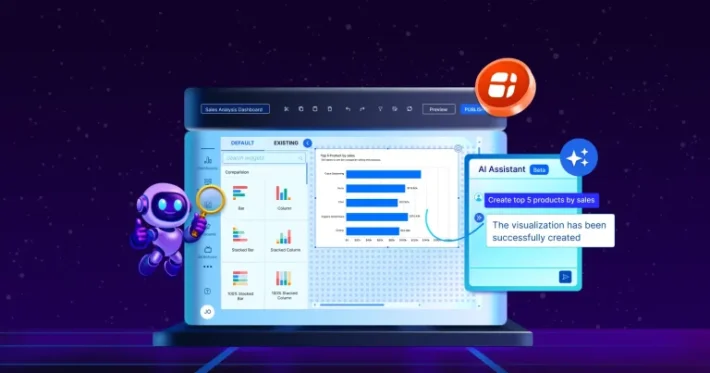
- AI-powered insights: Bold BI has 3 AI surfaces. AI Copilot builds charts from plain-English requests in the Dashboard Designer, AI Agent answers questions about the dashboard being viewed, and AI Assistant combines both in one conversational hub.
- Flexible deployment options: Choose Cloud, Managed Private Cloud or On-Premises to match your security posture, compliance requirements, and infrastructure preferences. All 3 editions share the same core platform, though Cloud Edition does not include SSO or multi-tenancy; On-Premises runs on Windows, Linux (RHEL, Ubuntu), Docker and Kubernetes and supports air-gapped operation.
- White-label embedded analytics: White-labeling is included in every edition at no extra cost and covers your logo, colors, fonts and favicon, themed login and navigation, custom domains such as analytics.yourproduct.com, and zero “Powered by Bold BI” attribution.
- Secure authentication: Bold BI supports SSO through Azure AD / Microsoft Entra ID, OpenID Connect, OAuth 2.0, JWT-based SSO, SAML, ADFS and Windows Active Directory in self-hosted deployments (Managed Private Cloud and On-Premises). Cloud Edition does not support SSO.
- Easy collaboration: Bold BI users can comment directly on a dashboard and co-edit with teammates in real time, making it easier to discuss insights and align on decisions.
- Customization and embedding capabilities: Embed dashboards and AI features into your apps with an iFrame or the JavaScript SDK, which ships as an NPM package and a CDN script, with named support for React, Angular, Vue, .NET and Blazor, plus REST APIs.
Organizations evaluating Bold BI for embedded analytics should assess deployment preferences, customization requirements, security needs, and licensing considerations to determine whether the platform aligns with their product and analytics strategy.
A real-world example is Vialto Partners, a global mobility consulting firm that needed to unify fragmented data sources and provide stakeholders with centralized, real-time insights. After implementing Bold BI, the company consolidated multiple data sources into interactive dashboards, reducing report generation time by 60% and accelerating decision-making cycles by approximately 40%. The solution enabled teams to access timely, actionable insights, improving operational efficiency and responsiveness to client needs.
Best for: SaaS applications, customer-facing analytics, OEM analytics, and multi-tenant products.
2. Tableau
Tableau is a data visualization and analytics platform widely used for interactive dashboards, data exploration, and enterprise analytics.
Key features
- Interactive analytics experiences: Build dashboards and visualizations that enable users to explore data, drill into metrics, and uncover insights through self-service analysis.
- AI-assisted insight discovery: Leverage capabilities such as Explain Data and Data Stories to identify trends, understand anomalies, and generate natural-language explanations from data.
- Enterprise governance and scalability: Maintain trusted analytics with data lineage, metadata management, quality monitoring, and access controls designed for large-scale deployments.
Best for: Organizations focused on visual analytics, data discovery, and business insights.
Organizations evaluating Tableau for embedded analytics should assess deployment, licensing, embedding, and governance requirements against their specific business needs.
3. Yellowfin BI
Yellowfin BI combines embedded analytics, automated insights, and data storytelling capabilities within a single analytics platform.
Some of its key features include:
- Flexible embedded analytics that feels native to your application: Embed white-label dashboards directly into customer-facing applications.
- AI-powered insight discovery: Use natural language queries and automated insights to uncover trends and anomalies.
- Data storytelling and automated analytics: Turn dashboards into interactive stories that communicate key business insights.
Best for: Organizations seeking embedded analytics, automated insights, and data storytelling capabilities.
Organizations evaluating Yellowfin BI for embedded analytics should assess deployment flexibility, licensing models, customization requirements, and scalability needs against their business objectives.
4. Sisense
Sisense is an analytics platform that helps organizations embed analytics into software applications, workflows, and products.
Some of its key features include:
- Native embedded analytics: Embed interactive analytics directly into your application experience.
- AI-powered insights: Help users discover trends, anomalies, and answers through AI-driven analytics.
- Enterprise security and compliance: Secure analytics with role-based access controls, encryption, continuous monitoring, and support for leading security and privacy standards
Best for: Product teams embedding analytics into software applications and customer-facing products.
Businesses evaluating Sisense for embedded analytics should assess implementation complexity, deployment requirements, customization needs, and pricing considerations based on their product strategy and user base.
5. Qlik Sense
Qlik Sense is an AI-powered analytics and business intelligence platform that helps organizations explore data, uncover hidden relationships, and make faster decisions through interactive dashboards and self-service analytics.
Its key features include:
- AI-powered insights: Use natural language queries, automated insight generation, and predictive analytics to discover answers and forecast outcomes faster.
- Data integration: Connect, combine, and prepare data from multiple cloud, on-premises, and third-party sources in a unified analytics environment.
- Interactive dashboards: Build interactive dashboards and visualizations that enable users to explore data, analyze trends, and monitor business performance.
Best for: Organizations requiring self-service analytics and advanced data exploration.
Companies evaluating Qlik Sense for embedded analytics should assess pricing models, data integration requirements, user adoption considerations, and analytics workflows based on their specific use cases.
It is available as Qlik Cloud Analytics (SaaS) and as Qlik Sense Enterprise on Windows, a client-managed edition that can run on-premises.
6. Domo
Domo is a cloud-native business intelligence and analytics platform that combines data integration, AI, dashboards, automation, and application development in a single environment. It helps organizations connect data from multiple sources, deliver real-time insights, and automate business processes.
Its key features include:
- Data integration: Connect and unify data from more than 1,000 cloud, on-premises, and business applications using prebuilt connectors and no-code data pipelines.
- AI-powered analytics and automation: Use AI agents, predictive analytics, conversational AI, and automated workflows to uncover insights, answer business questions, and drive actions from data.
- Interactive dashboards: Build dynamic dashboards and visualizations to monitor KPIs, explore data, and gain real-time business insights.
Best for: Cloud-first organizations focused on operational analytics and business process optimization.
Organizations evaluating Domo for embedded analytics should assess deployment requirements, scalability expectations, consumption-based costs, and integration needs before implementation.
7. Looker
Looker is Google Cloud’s business intelligence and embedded analytics platform that combines a governed semantic layer, AI-powered analytics, and embedded data experiences to help organizations deliver trusted insights at scale.
Its key features include:
- Governed semantic layer: Define business metrics once using LookML to create a single source of truth across dashboards, applications, and AI-powered analytics.
- Conversational AI analytics: Use natural language queries and Gemini-powered analytics to explore data, generate insights, and answer business questions without complex queries.
- Embedded analytics: Integrate dashboards and AI-driven analytics directly into customer-facing applications using APIs, SDKs, and embedded components.
Best for: Organizations in the Google Cloud ecosystem that need governed analytics and embedded analytics.
Organizations evaluating Looker for embedded analytics should assess semantic modeling requirements, deployment preferences, governance needs, and technical resources required for implementation.
8. GoodData
GoodData is an AI-native analytics platform designed for governed analytics, embedded BI, and decision intelligence. It helps organizations create consistent metrics, automate analytics development, and deliver analytics across products and customer environments.
Its key features include:
- Semantic layer and metric governance: Define business metrics, KPIs, hierarchies, and data relationships once to ensure consistent analytics across dashboards, applications, and AI-powered experiences.
- Analytics as Code: Manage analytics assets through APIs, CI/CD pipelines, and version control, enabling teams to automate development, deployment, and governance of analytics projects.
- Flexible deployment: Deploy analytics in the cloud, on-premises, or hybrid environments and embed analytics seamlessly into applications using APIs, SDKs, and white-label customization.
Best for: Organizations building analytics-driven products that require governance, multi-tenancy, and embedded analytics.
Organizations evaluating GoodData for embedded analytics should assess deployment requirements, governance needs, technical expertise, and scalability goals to determine whether the platform aligns with their analytics strategy.
When Is Bold BI Not the Right Power BI Alternative?
Bold BI is not the best fit in every case. Consider another option, or a different Bold BI edition, if:
- You need air-gapped operation or customer-managed encryption keys in a vendor-hosted cloud. Bold BI Cloud Edition offers neither; Managed Private Cloud offers customer-managed keys on request, and the On-Premises Edition supports both.
- You need a localized user interface on Cloud Edition. Localization is available on-premises only.
- You want an AI assistant that edits dashboards or queries several data sources in one conversation. Bold BI’s AI Assistant does neither today.
- You plan to white-label on the free Community License. It excludes white-labeling; a paid plan includes it.
Build vs. Buy: Should You Develop Analytics In-House?
Organizations evaluating Power BI alternatives may consider building analytics in-house instead of adopting a commercial embedded analytics platform. While custom development offers greater control, it also requires significant time and resources for analytics development, security, user management, and maintenance.
Embedded analytics platforms such as Bold BI provide these capabilities out of the box, helping organizations accelerate deployment, reduce development effort, and focus on core product innovation.
Ultimately, the decision depends on balancing flexibility, implementation speed, development resources, and long-term cost.
To help evaluate the best approach, explore these resources:
- Build vs Buy Analytics: Which Is Best for Your Business? - Compare the advantages, challenges, and business implications of building analytics internally versus adopting a commercial solution.
- Choosing Embedded BI: Build or Buy? | Bold BI - Learn the key factors organizations should consider when selecting an embedded analytics strategy.
- Power BI Migration: How to Reuse Existing Queries | Bold BI - Discover practical guidance for migrating from Power BI to Bold BI while leveraging existing queries and minimizing migration effort.
Migrating from Other Embedded Analytics Platforms
Migrating from one embedded analytics platform to another can be challenging, as organizations often need to rebuild dashboards, reconnect data sources, preserve security configurations, retrain users, and minimize disruptions to existing analytics workflows. These concerns can make teams hesitant to move away from their current solution, even when it no longer meets their requirements.
Bold BI includes free, guided migration assistance on every edition, and existing dashboards, data source connections and reports transfer when switching from Power BI, Tableau or an in-house build. With 145 documented data connectors across 23 categories, most existing data sources can be reused. Organizations can continue leveraging their existing data infrastructure while modernizing their embedded analytics experience.
Explore our How to Migrate Data from Tableau to Bold BI and Power BI Migration: How to Reuse Existing Queries blogs to learn how organizations can streamline migration efforts, reuse existing assets where possible, and transition to Bold BI more efficiently.
What Are the Common Challenges When Migrating from Power BI?
Organizations moving from Power BI to another analytics platform should evaluate several areas before beginning migration:
- Rebuilding dashboards and visualizations
- Mapping security roles and access controls
- Migrating user permissions and governance policies
- Reconfiguring data source connections and refresh schedules
- Validating embedded analytics integrations and APIs
- Testing data accuracy and consistency across platforms
Creating a migration plan early can help reduce implementation risks, improve user adoption, and ensure a smoother transition to the new analytics environment.
Is Bold BI the Right Power BI Alternative for Your Product?
Every platform on this list has its own strengths. Bold BI is the one built around flexible per-user, per-application or enterprise licensing and white-labeling included in every edition. Organizations looking for a scalable Power BI alternative often prioritize data ownership, white-labeling capabilities, and greater control over deployment.
Bold BI delivers these capabilities through interactive dashboards, support for 145 data connectors, robust embedded analytics, AI-powered insights, and flexible cloud or self-hosted deployment options. For organizations evaluating analytics platforms for customer-facing applications, Bold BI provides a balance of enterprise functionality, extensibility, and ease of deployment
Ready to explore Bold BI? Start a free trial or schedule a 30-minute personalized demo to see whether the platform fits your embedded analytics needs.
Frequently Asked Questions
- 1.
Why do organizations look for Power BI alternatives?
Organizations look for Power BI alternatives when they embed analytics in their own products and need white-labeling, multi-tenancy, on-premises deployment or a licensing model that does not grow with each user. Bold BI is often evaluated for this because it offers per-user, per-application or enterprise licensing, white-labeling is included in every edition, and multi-tenant embedding is available in Managed Private Cloud and On-Premises.
- 2.
Which Power BI alternatives support embedded analytics?
Bold BI, Tableau, Yellowfin BI, Sisense, Qlik Sense, Domo, Looker and GoodData all offer embedded analytics for customer-facing applications. They differ in how you embed. Bold BI, for example, offers 2 methods: iFrame embedding, which needs only an embed URL, and the JavaScript SDK, which gives full API control over layout, filters and events.
- 3.
Which Power BI alternative is best for SaaS applications?
Bold BI, Sisense, GoodData and Yellowfin BI are common choices for SaaS analytics. Bold BI fits SaaS products that need multi-tenancy and white-labeling: multi-tenant embedding is available in Managed Private Cloud and On-Premises, white-labeling is included at no extra cost, and licensing can be per user, per application or enterprise.
- 4.
Which Power BI alternatives support on-premises deployment?
Bold BI, Tableau Server, Sisense, Yellowfin BI and Qlik Sense Enterprise on Windows support on-premises deployment, and GoodData offers self-hosted deployment through its Enterprise offering. Bold BI's On-Premises Edition runs on Windows, Linux (RHEL, Ubuntu), Docker and Kubernetes and supports fully offline, air-gapped operation.
- 5.
How does Power BI Embedded pricing differ from application-based licensing?
Power BI Embedded is priced by the capacity you reserve, so cost tracks compute and usage. Application-based licensing prices the deployed application instead. Bold BI is priced by custom quote, with per-user, per-application or enterprise licensing, and is not usage-metered.
- 6.
Is white-labeling important for embedded analytics?
Yes. White-labeling makes embedded analytics look like part of your application rather than a third-party tool. Bold BI includes white-labeling in every edition at no extra cost, covering logo, colors, fonts and favicon, themed login and navigation, custom domains such as analytics.yourproduct.com, and no "Powered by Bold BI" badge anywhere in the interface.
- 7.
What role does AI play in modern embedded analytics platforms?
AI lets users explore data in plain language, get automated insights and build visuals without writing queries. Bold BI has 3 AI surfaces: AI Copilot builds charts from plain-English requests, AI Agent answers questions about the dashboard being viewed, and AI Assistant combines both. AI Assistant enforces row-level security on its results.
- 8.
Can I migrate from Power BI without rebuilding everything?
Often, yes, though it depends on the platform and your setup. Bold BI includes free, guided migration assistance on every edition, and existing dashboards, data source connections and reports transfer when switching from Power BI. Validate data models, security roles and embedded integrations before cutover; see our guide on reusing existing Power BI queries.