
Bold BI vs. Qlik Sense: Which Is Best for Embedded Analytics
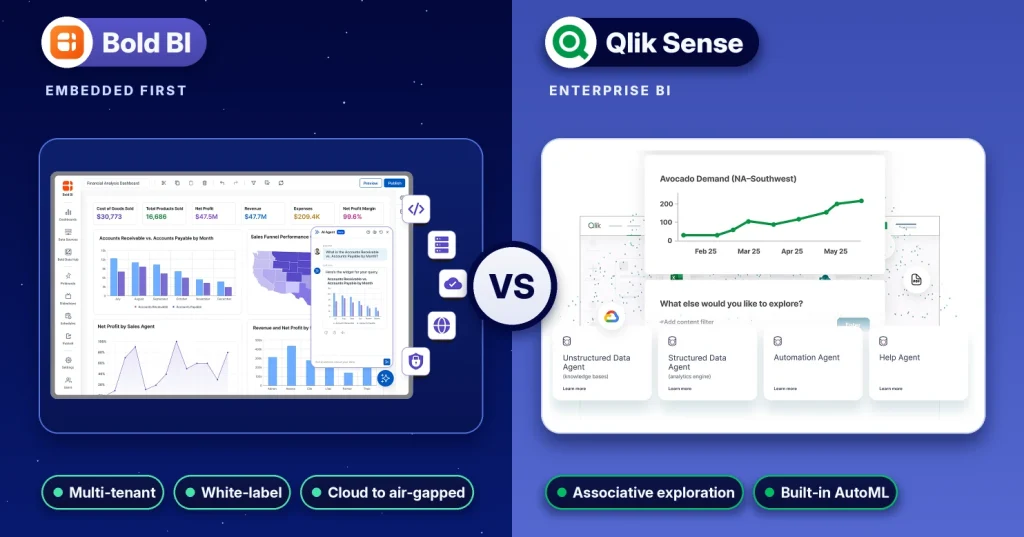
TL;DR: Bold BI® and Qlik Sense are both enterprise analytics platforms, but they scale differently depending on how analytics is delivered. For customer-facing, multi-tenant analytics that must run across Cloud, Managed Private Cloud, and On-Premises environments, Bold BI provides more predictable scalability through built-in multi-tenancy, white-labeling, deployment flexibility, flat application-based pricing, and AI-powered analytics. For organizations focused primarily on internal self-service analytics and associative data exploration, Qlik Sense remains a strong option.
Although both platforms support analytics and data visualization, they were designed with different priorities in mind. SaaS providers, ISVs, and product teams often need embedded analytics that can scale across customers while maintaining branding, tenant isolation, and deployment flexibility. Internal BI teams may prioritize exploratory analysis, governed analytics, and self-service data discovery. Use the following quick-reference guide to identify which platform aligns best with your requirements.
| If you need | Recommended platform |
| Customer-facing SaaS analytics | Bold BI |
| White-label analytics | Bold BI |
| Multi-tenant embedding | Bold BI |
| Air-gapped deployment | Bold BI |
| Internal data exploration | Qlik Sense |
| Associative analysis | Qlik Sense |
| Built-in AutoML | Qlik Sense |
Bold BI is Syncfusion’s analytics platform for AI-powered, embedded, and self-service analytics. This comparison evaluates Bold BI and Qlik Sense across key areas such as embedding, multi-tenancy, deployment flexibility, AI capabilities, security, pricing, and scalability. For a feature-by-feature breakdown, see the Bold BI Qlik Sense alternative page.
Bold BI vs. Qlik Sense at a glance
The tables below compare Bold BI and Qlik Sense across the criteria that matter most when evaluating embedded analytics platforms, including pricing, deployment flexibility, embedding options, multi-tenancy, AI capabilities, white-labeling, and data connectivity.
Pricing, packaging and deployment
| Criterion | Bold BI | Qlik Sense |
| Primary design focus | Embedded analytics in SaaS products, plus self-service BI | Enterprise BI and data exploration via the associative engine |
| Pricing basis | Flat, application-based custom quote; not per user, not usage-metered | Data capacity: Starter $300/mo (10 users, 10 GB), Standard $825/mo (25 GB), Premium $2,750/mo (50 GB), Enterprise by quote (source) |
| Feature gating | All 3 editions include the full platform | Features grow by plan; anonymous public access and AutoML start at Premium |
| Deployment | Cloud, Managed Private Cloud, On-Premises (Windows, Linux, Docker, Kubernetes, air-gapped) | Qlik Cloud (SaaS) or Qlik Sense Enterprise client-managed on Windows servers |
Embedding, multi-tenancy, AI and data
| Criterion | Bold BI | Qlik Sense |
| Embedding methods | JavaScript SDK (renders in your app’s DOM) and iframe | qlik-embed web components; nebula.js, Capability APIs and iframes as legacy options |
| Multi-tenancy model | One instance serves many isolated tenants, each with its own database, branding and admin | One Qlik Cloud tenant per customer, up to 8,500 tenants per region |
| White-labeling | Included in every edition; custom domain, zero vendor attribution | Not listed on Qlik’s ISV package page |
| AI | AI Copilot, AI Agent, AI Assistant; MCP support; bring-your-own OpenAI, Azure OpenAI or Anthropic key on-premises | Qlik Answers, AI-powered analytics; Qlik Predict AutoML on Premium |
| Data connectors | 143 documented connectors in 22 categories, Live or Extract mode | Standard connectors on Starter; more Qlik Talend Cloud sources on higher plans |
Who is each platform built for?
Bold BI is built for software teams that embed analytics in their own product and for organizations that need self-service dashboards on infrastructure they control. Its 8 core capabilities include a white-label SDK, multi-tenancy, row-level security, and flexible deployment.
Qlik Sense is built for enterprise analysts who explore data across many sources. Its associative engine keeps every value in view after each selection, which suits open-ended discovery. Qlik pairs it with Qlik Talend Cloud for data integration, making it a fit for organizations buying a broad data platform from one vendor.
How does embedding work in Bold BI vs. Qlik Sense?
Bold BI offers 2 embedding methods: an iframe that needs only an embed URL, and a JavaScript SDK that renders dashboards inside your application’s own DOM. The SDK adds event handling, dynamic filters, and full API control over layout. It ships as the npm package @boldbi/boldbi-embedded-sdk and as a CDN script, with 24 documented sample apps covering frameworks including React, Angular, Vue, Blazor, ASP.NET, Java, Python, PHP, Node.js and Flutter.
// Embed a Bold BI dashboard with the JavaScript SDK

var dashboard = BoldBI.create({
serverUrl: "https://analytics.yourproduct.com/bi/site/site1",
dashboardId: "YOUR-DASHBOARD-ID",
embedContainerId: "dashboard-container",
embedToken: tokenFromYourBackend // generate on the server; never expose the embed secret
});

dashboard.loadDashboard();
Qlik Sense recommends qlik-embed web components, authenticated through OAuth, with JWT and anonymous access also supported. Older approaches such as nebula.js, Capability APIs and iframes remain available.
Bold BI can also embed self-service analytics for your own customers. Component API v2.0 has 7 embeddable components: Viewer, Designer, Multi-Tab, Datasource, AI Assistant, Widget, and Pinboard. Embedding the Designer and Datasource components lets your customers build their own dashboards inside your product, under your branding. See the Bold BI Embed SDK samples for working code in each framework.
How quickly can teams build dashboards in Bold BI vs. Qlik Sense?
Bold BI gets a first embedded dashboard live in 4 steps: connect your data, build the dashboard or ask AI Copilot, secure and brand it, then publish it inside your product. Build dashboards in a drag-and-drop designer with 41 modern widgets across nine categories. AI Copilot creates and edits charts from plain-English requests, and Prompt to Dashboard generates a 6-widget starter dashboard from one prompt.
Qlik Sense apps load and model data through a load script, managed in the Data load editor. The script defines which tables and fields to load and how they link, and Qlik builds its associations during the load. Data Manager adds tables without writing code and generates that script, but custom modeling beyond it means learning Qlik’s script syntax (source). Teams with SQL skills and no Qlik experience should plan for that learning curve.
How do Bold BI and Qlik Sense handle multi-tenancy?
A single Bold BI instance serves multiple isolated tenants, each with its own database, branding, and delegated admin, and all are managed from one place. Bold BI enforces row-level security at query time through JWT claims, at up to 3 layers: isolation code, custom attributes, and user-based filters. Each tenant can also use its own identity provider, such as Azure AD, Okta, or Auth0.
Qlik’s OEM guidance takes a different approach. Qlik’s terms require a separate Qlik Cloud tenant for each customer organization. Platform Operations APIs create tenants, with a limit of 8,500 tenants per region per license. That provides strong isolation but requires automation to provision and maintain tenants as your customer base grows. Learn more on the Bold BI multi-tenancy page.
How does pricing compare between Bold BI and Qlik Sense?
Bold BI pricing is flat and based on the application. It is not charged per user, per viewer, per seat, or metered by usage. Every edition is priced by custom quote in USD, with no setup fee, free migration, and a 30-day money-back guarantee. Quotes depend on deployment model and scale.
Qlik Cloud Analytics is priced by data capacity, billed annually. Starter costs $300/month for 10 users and 10 GB. Standard costs $825 a month for 25 GB with unlimited users. Premium costs $2,750 a month for 50 GB, and Enterprise starts at 250 GB by quote. Self-hosted Qlik pricing is not published.
The practical difference: Qlik costs rise with the data you load, while Bold BI costs are set by deployment and scale. For a fair comparison, request first-year quotes from both vendors for your expected data volume, tenant count, and end users. See Bold BI pricing.
Example cost scenario
Licensing models are only one part of the evaluation process. As analytics adoption grows, organizations often assess licensing structure alongside scalability, deployment requirements, tenant management, governance, and operational considerations.
Mid-sized SaaS vendor
- 50 customers
- 500 users
At this scale, organizations often evaluate platforms based on functionality, deployment preferences, implementation requirements, and expected growth. Both platforms may be suitable depending on analytics needs, customization requirements, and long-term business objectives.
Large SaaS platform
- 5,000 customers
- 100,000 users
At larger scales, licensing structure, tenant architecture, deployment flexibility, onboarding processes, and operational overhead often become more significant evaluation factors. Organizations typically assess how different licensing and deployment models align with their scalability, governance, administration, and operational requirements.
Key takeaway
These scenarios illustrate that as analytics adoption grows, platform architecture and licensing models often become just as important as features. A solution that meets the needs of a few hundred users may require a different evaluation approach when supporting thousands of customers and tens of thousands of users. Organizations should evaluate analytics platforms based on their specific business, technical, operational, and scalability requirements.
For a more detailed discussion of common embedded analytics pricing approaches and licensing considerations, see Embedded Analytics Pricing: How to Choose the Right Model blog.
What features and support are included in each plan?
Feature availability, usage limits, support levels, and deployment capabilities can directly affect the long-term success of an embedded analytics deployment. The table below compares how Bold BI and Qlik Sense package key capabilities across their respective plans and editions.
| Item | Bold BI (all 3 editions) | Qlik Cloud Analytics |
| Feature set | Full platform in every edition; no feature gating | Grows by plan: Starter, Standard, Premium, Enterprise |
| Usage limits | Not metered by usage or data volume | Data capacity per plan (10 GB to 250 GB+), with 25 GB or 250 GB add-on packs |
| White-labeling | Included, with custom domain and per-tenant branding | Not listed on Qlik’s ISV package page |
| Multi-tenant embedding | Included in all 3 editions | ISV packages: local-region multi-tenant deployment on Starter; multi-region from Premium |
| AI | 500 AI credits per license per month; bring your own key on-premises | Answers Agents from Starter; generative AI from Standard; Qlik Predict AutoML on Premium |
| Support | 24/5 chat, email and WhatsApp support with unlimited tickets on every edition | Qlik Community support on Starter; 24×7 Sev 1 support from Standard |
Bold BI includes free guided migration assistance and does not charge a setup fee. Organizations evaluating analytics platforms should consider not only features, but also support options, deployment flexibility, scalability requirements, and long-term operational needs when compare plans.
Which deployment options do Bold BI and Qlik Sense support?
Bold BI is sold in 3 editions with identical features. Bold BI fully hosts and maintains the Cloud Edition, including patches, backups, and scaling. Managed Private Cloud runs on dedicated infrastructure in a region you choose. On-Premises Edition runs on Windows, Linux (RHEL, Ubuntu), Docker and Kubernetes, including fully air-gapped environments. You can move from Cloud to self-hosted later without re-platforming.
Qlik Sense is available as Qlik Cloud Analytics (SaaS) or Qlik Sense Enterprise client-managed on Windows servers. Qlik’s own OEM documentation notes that the client-managed version lacks collaboration, automation, alerting, AI, and data integration features found in Qlik Cloud, and follows a fixed release schedule. For regulated teams that must self-host, that gap matters.
How do the AI features of Bold BI and Qlik Sense compare?
Bold BI has 3 AI surfaces sharing one engine. AI Copilot builds and edits charts from plain-English requests in the Dashboard Designer. AI Agent answers questions about the dashboard you are viewing. AI Assistant combines both in a single saved conversation and can be embedded in your app with the SDK. Every license includes 500 AI credits a month, and on-premises users can bring their own OpenAI, Azure OpenAI, or Anthropic key. Bold BI also supports the Model Context Protocol (MCP), enabling compatible AI agents to interact with dashboards and data sources.
Qlik offers AI-powered analytics and Qlik Answers on its Cloud plans, with generative AI from the Standard plan. Qlik Predict, its automated machine learning, is part of the Premium plan. Customer data is not used to train Bold BI’s AI models. See Bold BI AI analytics.
How do Bold BI and Qlik Sense compare on security and compliance?
Bold BI holds SOC 2 Type 2 certification and is independently audited for HIPAA compliance, with a Business Associate Agreement (BAA) available upon request. It also publishes a VPAT (Section 508) and holds TX-RAMP Level 2 certification. Data is encrypted in transit using SSL encryption and at rest using AES-256 encryption. All three editions support SSO through OAuth 2.0, SAML, OpenID Connect, and Azure AD.
Qlik also provides enterprise governance, including role-based access and data lineage connectors on its Premium plan. Check Qlik’s trust center for its current certifications before procurement. Details are on the Bold BI security page.
Where is Qlik Sense stronger than Bold BI?
Qlik Sense is the stronger choice in 3 areas. First, its associative engine supports free-form exploration across all loaded data, which analysts value for discovery work. Second, Qlik Talend Cloud adds data integration and movement, including SAP data extraction on the Premium plan, while Bold Data Hub, Bold BI’s ETL component, offers 48 connectors. Third, Qlik Predict offers built-in automated machine learning, while Bold BI forecasting uses exponential smoothing on line and spline charts.
What are Bold BI’s known limitations?
Bold BI is not the right fit for every team. Localization is available on-premises but not on the shared Cloud Edition. The AI Assistant queries one data source per conversation and cannot edit dashboards. Prompt to Dashboard generates exactly 6 widgets and works only on empty dashboards. Bold Data Hub transformations run in SQL code mode, without a visual modeling interface.
Which platform fits your organization?
The right choice depends on whether you are building analytics into a product or exploring data inside the enterprise.
Choose Bold BI if:
- You are embedding analytics in a SaaS product and want one instance to serve many tenants.
- You need white-labeling, custom domains, and zero vendor branding at no extra cost.
- You want pricing that does not grow per user or per GB of data loaded.
- You must self-host, including on Linux, Kubernetes, or in an air-gapped network, with the full feature set.
Choose Qlik Sense if:
- Your analysts rely on associative, free-form exploration across many data sources.
- You want data integration, analytics and AutoML from one vendor through Qlik Talend Cloud and Qlik Predict.
- Your organization already runs Qlik and has trained Qlik developers.
For a one-page feature summary, see the Bold BI Qlik Sense alternative page.
Other Qlik Sense Alternatives
| Platform | Best For | Key Strength |
| Bold BI | Embedded and multi-tenant analytics | Native multi-tenancy, white-labeling, flexible deployment |
| Microsoft Power BI | Microsoft-centric organizations | Deep Microsoft ecosystem integration |
| Tableau | Visual analytics and data storytelling | Advanced visualization capabilities |
| Sisense | Embedded analytics for SaaS products | API-driven customization and extensibility |
While Qlik Sense remains a strong analytics platform, organizations evaluating embedded analytics often compare it against Bold BI, Tableau, Power BI, and Sisense based on deployment requirements, pricing model, embedded experience, and multi-tenant architecture.
How do you migrate from Qlik Sense to Bold BI?
Bold BI includes free, guided migration assistance on every edition. A typical Qlik migration follows 4 steps:
- Inventory your Qlik apps, data connections, and Section Access security rules.
- Connect the same sources using Bold BI’s 143 connectors, or load data through Bold Data Hub.
- Rebuild dashboards in the drag-and-drop designer or with AI Copilot, and map Section Access rules to Bold BI row-level security.
- Embed, brand, and publish inside your product, then retire the Qlik apps.
Start with the 30-day Bold BI free trial, no credit card required.
What results have Bold BI customers reported?
Organizations use Bold BI to reduce reporting overhead, improve customer-facing analytics experiences, and accelerate access to business insights.
Customer Feedback from G2
In addition to documented customer success stories, Bold BI is rated 4.9/5 on Capterra and 4.4/5 on G2.
One G2 reviewer highlighted the platform’s embedded analytics capabilities, multi-tenancy support, and ease of integration within SaaS applications:
“Finally, embedded analytics that get out of our way, at a fraction of the cost”
“Bold BI does the three things our product actually depends on, natively: embedding dashboards directly into our React app, connecting live to MySQL without an intermediate data layer, and keeping each client’s data cleanly isolated through built-in multi-tenancy. Coming from a prior platform where each of those was a fight, the difference has been night and day. The React SDK made embedding straightforward, and features that had eaten months of effort elsewhere came together in days. Support has been a standout too. The team is genuinely responsive and, depending on the complexity of the issue, will jump on a call with multiple engineers rather than trading tickets back and forth for weeks.”
By Barbara S. Source G2
Final thoughts
Both Bold BI and Qlik Sense are strong analytics platforms, but they serve different priorities. Qlik Sense is well suited for organizations focused on internal analytics and associative data exploration, while Bold BI is designed for embedded analytics, multi-tenancy, and customer-facing deployments.
As you evaluate platforms, consider deployment flexibility, scalability, tenant management, security, and long-term operational requirements. Review the latest vendor documentation and validate capabilities against your specific use cases before making a decision.
Ready to evaluate embedded analytics for your application? Start your free Bold BI trial today or schedule a personalized demo.
Frequently asked questions
- 1.
Is Qlik Sense good for embedded analytics?
Yes, but Qlik requires one Qlik Cloud tenant per customer, and anonymous public access starts on the Premium plan. Bold BI serves many tenants from one instance and includes white-labeling.
- 2.
Is Bold BI cheaper than Qlik Sense?
It depends on scale. Bold BI uses flat, application-based pricing, not per user or usage-metered. Qlik Cloud is priced by data capacity, starting at $300/month for 10 GB.
- 3.
Can Bold BI run on-premises like Qlik Sense Enterprise?
Bold BI On-Premises runs on Windows, Linux, Docker, and Kubernetes, including air-gapped networks, with the full feature set. Qlik’s self-hosted version runs on Windows servers.
- 4.
Does Bold BI support white-labeling?
White-labeling is included in every Bold BI edition, covering logo, colors, login page, emails, and custom domains, with no vendor branding.
- 5.
What is Qlik Sense better at than Bold BI?
Free-form data exploration through its associative engine. Qlik also offers data integration through Qlik Talend Cloud and automated machine learning through Qlik Predict on Premium.
- 6.
Is Bold BI easier to learn than Qlik Sense?
Bold BI needs no proprietary scripting: dashboards are built by drag-and-drop or with AI Copilot. Qlik Sense uses its load script syntax for custom data modeling.
- 7.
How long does it take to migrate from Qlik Sense to Bold BI?
It depends on how many apps, data models, and security rules you have. Bold BI includes free guided migration, and the 30-day trial lets you rebuild a sample Qlik app first.
- 8.
Which AI features do Bold BI and Qlik Sense offer?
Bold BI offers AI Copilot, AI Agent, and AI Assistant, with 500 AI credits per license per month. Qlik offers Qlik Answers, with automated machine learning on Premium.