
Bold BI dashboard designer supports connecting Trello web services through REST API.
Bring your Trello data to Bold BI® and create beautiful dashboards with useful widgets. By embedding dashboards inside your application, you can visualize the story behind your data and make effective business decisions.
You can select the appropriate resource provided to retrieve data from your trello account
Create your own query URL that retrieves data from the trello account.
Configure data refreshes to keep your dashboard up to date.
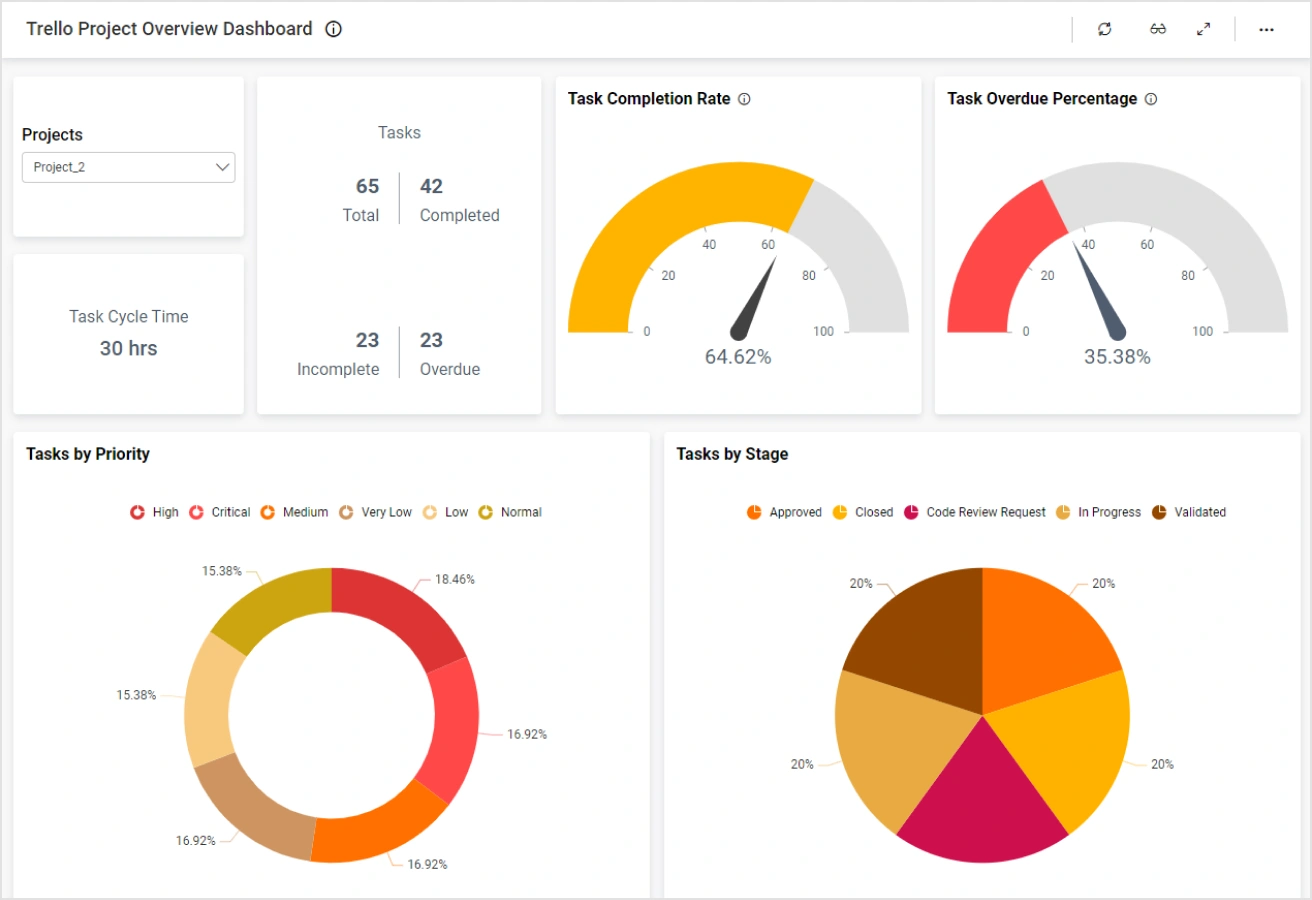
The Trello Project Overview Dashboard help you to track the progress of each project and task. By using this dashboard, project leads can monitor their team performance and plan productively.
Integrate Trello data with other integrations, like of SQL or web data sources, and create dashboards with multiple data sources. Embed these dashboards into your application for powerful data visualization.
Integrations
Your data, wherever it lives. SQL databases, REST APIs, cloud warehouses, flat files, and SaaS tools connect without a custom pipeline.





Explore Bold BI with a 30-day free trial. Embed dashboards, connect data sources, and empower your team with actionable insights.
No credit card required.