Data Filters vs. Custom Attributes for Embedded Dashboards


 8 min read
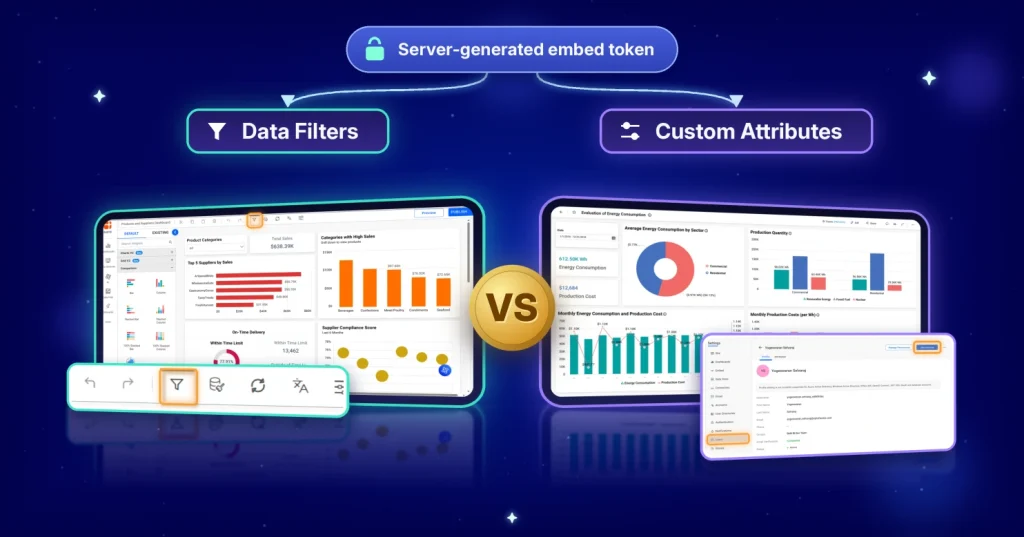
TL;DR: When embedding dashboards in Bold BI 14.1 and later, enforce row-level access through embed tokens generated by your server. Use data filters when access rules map directly to dataset columns and custom attributes when access depends on tenant, role, or database context. Never accept filter values from the browser. OWASP A01:2025 identifies broken access control as the leading application security risk, making server-side enforcement essential.
Why one wrong filter value matters
One incorrect filter value is all it takes to expose one customer’s data to another customer. In a multi-tenant SaaS application, that kind of access-control failure can quickly become a security incident.
Consider a hypothetical clinic-management SaaS platform used by multiple healthcare providers. Every clinic accesses the same embedded analytics experience, but each clinic should see only its own patients, appointments, and financial data. The challenge is ensuring those restrictions cannot be bypassed.
In Bold BI®, data filters and custom attributes provide two different ways to implement tenant-aware access control.
This article explains when to use each option, where security rules should be enforced, how embed tokens protect customer data, and how to avoid common mistakes that can lead to data exposure across embedded analytics and customer-facing analytics applications.
How the embed token enforces access
Every embed request includes information required to identify the Bold BI environment and user context, such as:
- Server URL
- Site identifier
- User email
- Embed secret
The embed secret never goes into the token. Your server uses it to sign the request before the token is returned to the application. For anonymous embedding, the token includes:
anonymous.isenabledanonymous.groupnameemail
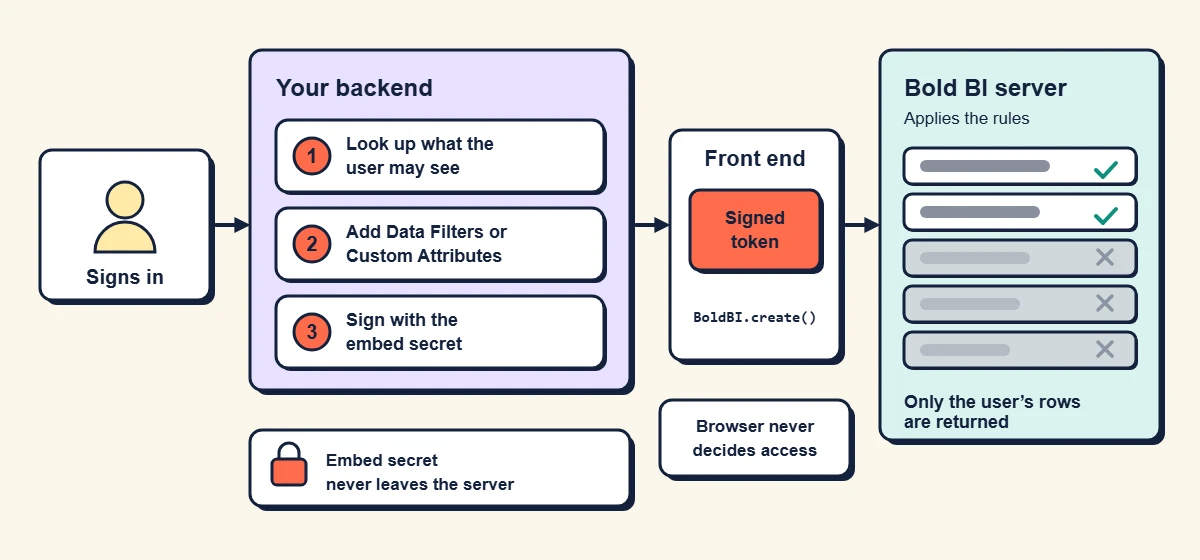
A secure embedded analytics implementation starts on your backend. After a user signs in, your application sends a request to your backend. The backend determines which data the user can access, adds data filters or custom attributes to the embed token, signs the request using the embed secret, and returns the token to the application. When the dashboard loads, the Bold BI server applies those rules before any data is returned to the user.
After generating the embed token, your backend returns it to the application. The front end then passes that token to the Bold BI embedding SDK when calling BoldBI.create(). The dashboard renders using the signed token, and all access-control rules defined in the token are enforced by the Bold BI server rather than the browser.
Data Filters for Field-Based Rules
Data filters are best suited for access rules that map directly to values stored in dataset columns.
Common examples include:
- Region
- Country
- Department
- Product Category
In the clinic SaaS example, a regional manager may need access only to clinics located in specific regions.
app.post('/tokenGeneration', function (request, response) {

  const embedDetails = {

    ...,  // Existing required details

    datasourcefilters: [

      { name: "shipCountry", value: "India", operator: "=" },

      { name: "Region", value: ["North", "East"], operator: "IN" }

    ]

  }

});
The values must come from your server’s own records for the signed-in user, never from the request the browser sends. The row-level security documentation has the same example in .NET and PHP. To configure data filters in Bold BI, define filter rules on dataset fields and pass the permitted values through your server-generated embed token. Visit our documentation to learn how to configure data filters in your dashboard.
Custom Attributes for Tenants and Roles
Custom attributes are name-value pairs that can be defined at the user, group, or site level. Unlike data filters, they provide contextual information that dashboards, queries, and connections can consume dynamically.
app.post('/tokenGeneration', function (request, response) {

  const embedDetails = {

    ...,  // Existing required details

    customattributes: [

      { name: "database_name", value: "DB2", operator: "" },

      { name: "department", value: ["ECE", "IT"], operator: "IN" }

    ]

  }

});
Custom attributes become especially valuable when tenant context drives access decisions rather than values stored in a dataset.
In the clinic example, a clinic_db attribute points each manager’s session to the correct database for that tenant. Because attributes can live at the group level, onboarding stays simple. A new manager joins the clinic’s group and inherits its attributes, so nobody edits token code for each hire. Keep attribute names consistent across tenants (clinic_db, never clinicDB in one place and db_name in another), because a name that doesn’t match fails quietly and is hard to spot in review.
To configure custom attributes in Bold BI, create name-value pairs at the user, group, or site level and reference them within dashboards, queries, or data connections. Explore our help documentation to learn how to configure it in your embedded dashboards.
Data Filters vs. Custom Attributes: How to Choose
Both approaches help enforce secure access in embedded dashboards, but they solve different problems. Understanding where each fits can help you build a simpler, more scalable security model for your application.
| Situation | Better choice | Why |
|---|---|---|
| Rule maps directly to a column (region, country) | Data filters | Least setup, easy to read in code review |
| Access depends on role, tier or group | Custom attributes | Rules follow the user’s identity, not a hard-coded list |
| Many tenants, separate databases | Custom attributes | Switch the connection per tenant from one template |
| Nested or overlapping groups | Custom attributes | Simplifies group-based access management |
| Quick prototype | Data filters | Move to attributes as rules grow |
Many embedded analytics teams use both: custom attributes to identify the tenant and data filters to narrow the rows within that tenant’s data.
| Scenario | Recommended Approach | Trade-Off |
|---|---|---|
| One site per tenant | Separate Bold BI site for each customer | Strong isolation but more administration |
| Multiple tenants in a shared site | Custom attributes and row-level rules | Simpler management but requires careful governance |
| Separate databases with shared dashboards | Custom attributes with connection switching | Requires consistent schemas across tenant databases |
The right approach depends on your isolation requirements, operational complexity, and deployment model. Learn more in the Multitenancy page.
5 Mistakes That Leak Tenant Data
Even with the right security model, configuration mistakes can expose data across tenants. Review these common pitfalls to help keep embedded dashboards secure.
- Reading filter values from the browser. If the page can send clinic=42, a user can send clinic=43. Look the value up on the server from the authenticated session.
- Using deny lists as the boundary. NOT IN is fine for trimming results, but security should allow only what a user may see. A new tenant added tomorrow should be invisible by default.
- Shipping the embed secret to the client. Keep it in server configuration or a secrets manager, never in front-end bundles or public repositories.
- Skipping required operators after upgrading. In newer versions, operators such as
INmust be specified explicitly. Review existing filtering implementations after upgrading. - Testing as one user only. A dashboard that looks right for your test account tells you nothing about the tenant next door.
Test It Before You Ship
Following a few security best practices can help ensure data filters and custom attributes consistently enforce tenant isolation. Use the checklist below to validate your implementation before moving to production.
- Create two test users in different tenants with overlapping data.
- Generate tokens for each through your real backend, not a test script.
- Open the same dashboard as both users and compare row counts and totals.
- Try to tamper: change any client-side value you can find and confirm the output doesn’t change.
- Repeat after every upgrade that touches embedding.
- Check cached results aren’t shared.
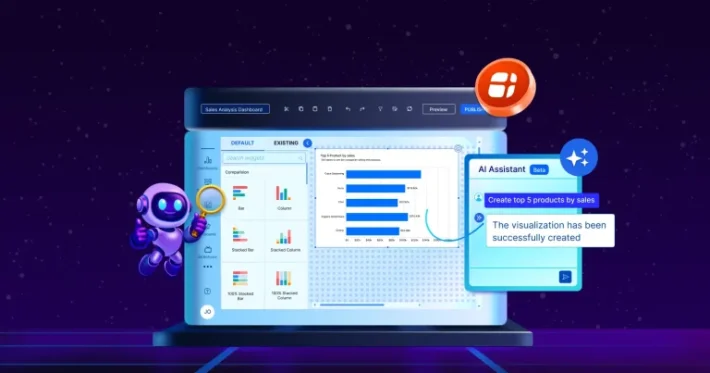
- Ask AI Assistant the same question as both users.
OWASP advises including access-control checks in unit and integration tests.
Where to Go Next
For the portal-based approach with user filters, see enabling row-level security with embedded BI. For more multi-tenant patterns, the secure multi-tenant data access webinar notes walk through authenticated and anonymous users, and the multitenancy overview covers tenant setup.
Before presenting your embedded analytics implementation to a customer’s security team, be prepared to demonstrate:
- Where access-control rules are generated and enforced, including data filters and custom attributes applied through embed tokens.
- Where the embed secret is stored and how it is protected from client-side access.
- Results from two-user tenant-isolation testing that confirm users can access only their authorized data.
- Your upgrade validation process, including how access controls are re-tested after embedding-related updates.
Once your token rules hold under testing, you can confidently explain your choice of data filters and custom attributes to customer security and compliance teams.
Bold BI helps organizations implement secure embedded analytics through server-generated embed tokens, row-level security, data filters, and custom attributes. Whether you’re building customer-facing analytics, SaaS dashboards, or multi-tenant reporting environments, Bold BI provides the tools needed to enforce tenant-aware access controls while maintaining a seamless user experience.
Try it on your own data: start a free trial and build the two-tenant test described in this article to validate your access-control model before moving to production.
Frequently Asked Questions
- 1.
Do my customers need Bold BI accounts to view embedded dashboards?
No. Anonymous embedding allows customer-facing dashboards to be viewed without requiring individual Bold BI accounts. It is supported through the single-dashboard viewer experience.
- 2.
Can a user change the filter values in an embed token?
Not if the token is generated and signed on the server. Users should never control filter values directly.
- 3.
Can a single dashboard serve tenants with separate databases?
Yes. Custom Attributes can provide database-specific context that allows a single dashboard template to connect to multiple tenant databases.
- 4.
Which operators do embed token rules support?
Embed-token rules support
=,IN, andNOT IN. - 5.
How do data filters and custom attributes work together?
Many embedded analytics implementations use both. Custom attributes identify the tenant, role, or database context, while data filters restrict the rows a user can view within that context.