

Profit and Loss Dashboard for Finance Managers
Protect profit margins and track financial trends in real time—without spreadsheets.
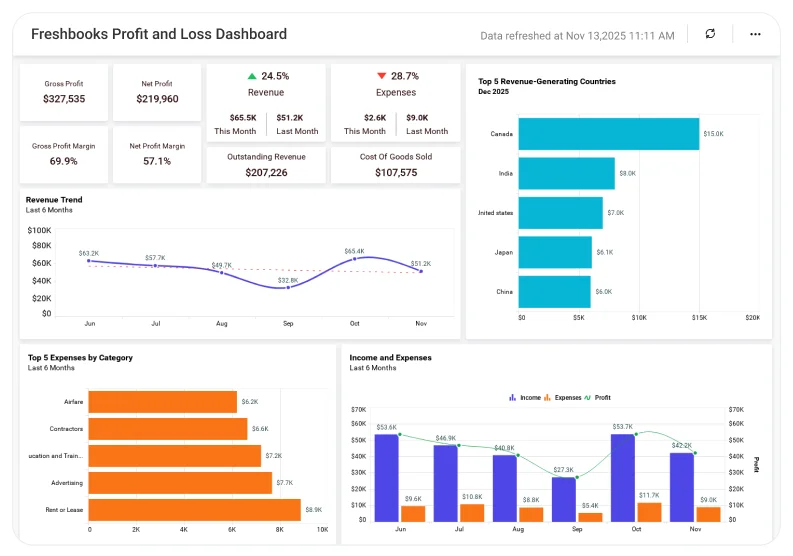
Bring revenue, expenses, and customer growth into a single, executive-ready Profit and Loss dashboard for faster decision-making. This dashboard lets you compare revenue vs. expenses, identify top cost drivers, track profitability trends, and monitor customer expansion.
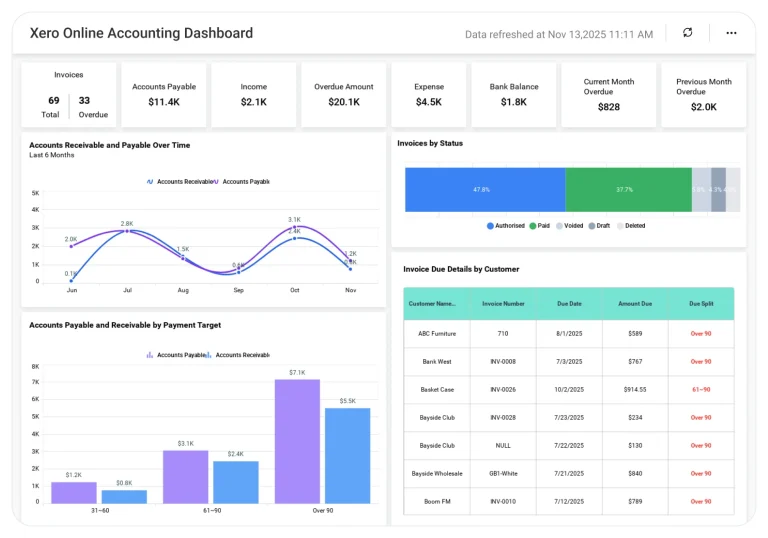
Connect data from FreshBooks, Quickbooks, Xero, Excel, SQL, or your data warehouse to create a single, accurate source of financial truth.
TL;DR: What You'll See in Week 1
-
Instant margin view: Fast overview of the figures for revenue, costs, and profit margin.
-
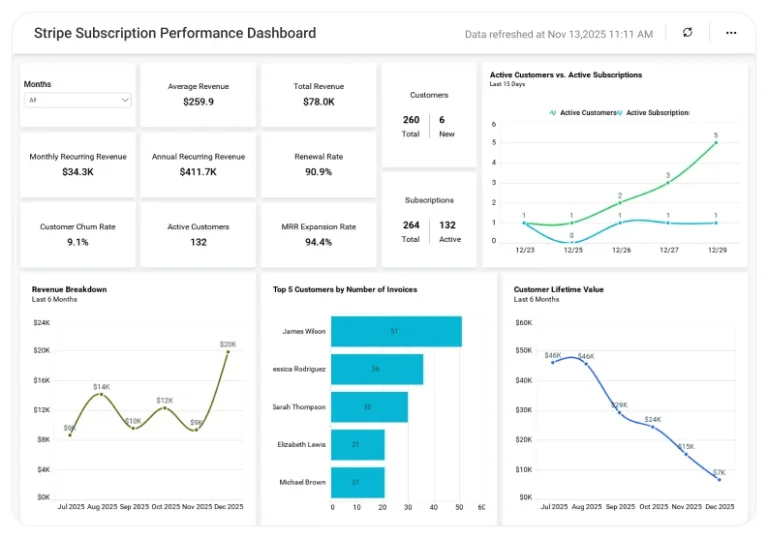
Trend view: See how revenue, income, costs, and customer count change over time.
-
Cost breakdown: Top expense categories with monthly comparisons.
-
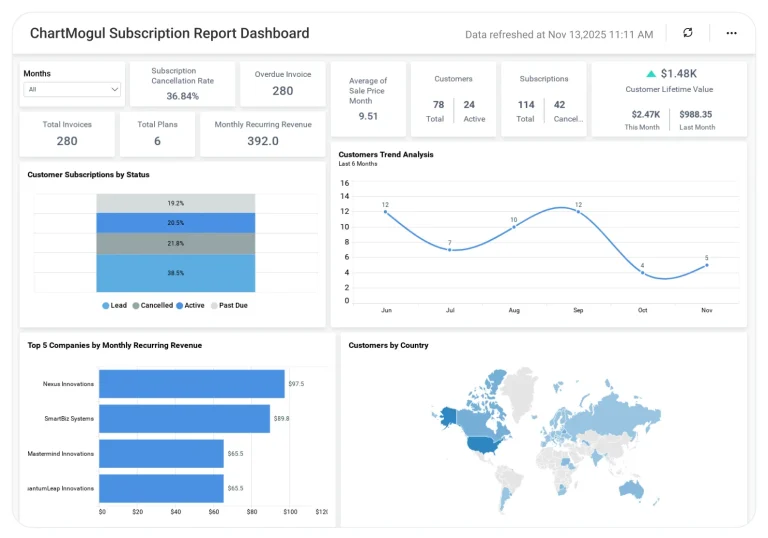
Customer analytics: Track expansion by region and major markets.
-
Executive summary: High-level KPIs with drill-down options for finance teams.
Why Finance Leaders Choose Bold BI
Bold BI helps finance teams make confident decisions using centralized financial data.
Finance data is often spread across accounting systems, CRM tools, and spreadsheets. Bold BI brings it together in one place.
When data isn’t centralized, it’s hard to answer key questions like:
-
How do revenue and expenses change each month?
-
How much is our profit margin right now, and how is it trending?
-
What are the expense categories that consume most of the resources?
-
Are customer numbers growing in key markets?
What Is a Profit and Loss Dashboard? (Quick answer)
It’s a real-time, visual breakdown of revenue, expenses, and profit performance. In Bold BI, that means connected charts, KPIs, and trend lines that track financial health across months, categories, and customer segments—updated automatically from your accounting systems.
Reduce manual spreadsheet work with a live dashboard you can trust.
What You’ll Track
-
Revenue & Expense Overview: Track total revenue, total expenses, and month-over-month changes to understand overall financial performance and trend movement.
-
Profitability Metrics: Monitor profit margin, operating income, and net income trends to evaluate how efficiently the business converts revenue into profit.
-
Expense Breakdown: Identify top cost categories, understand category-wise spending distribution, and detect unusual spikes or anomalies.
-
Customer Growth & Geographic Insights: Analyze customer acquisition trends, geographic patterns, and revenue by country to see where growth is happening.
All dashboards are fully customizable—add KPIs like AR/AP, department budgets, cash flow indicators, or forecast models as needed.
Review Revenue, Expenses, and Customers in One Place
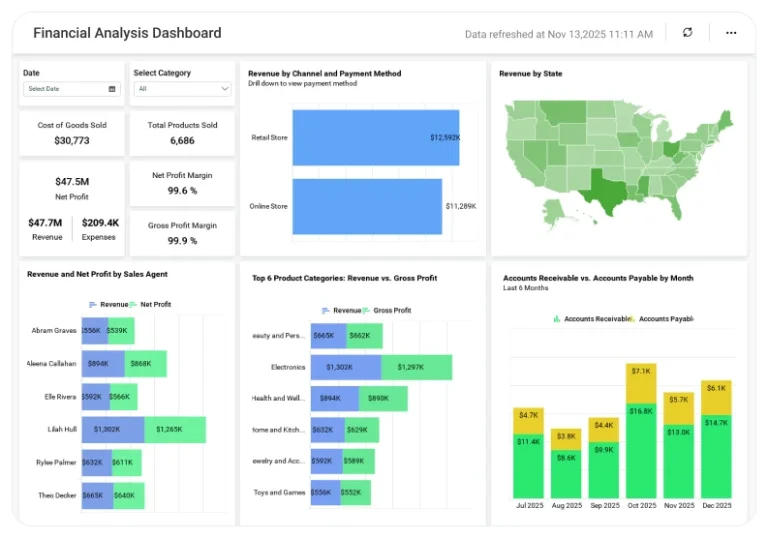
Get a clear view of financial health with KPIs like profit margin, outstanding revenue, and month-to-month revenue vs. expenses. Identify top cost drivers with the Top 5 Expenses view and analyze customer distribution by country to guide expansion and investment decisions.
How It Works (Easy Setup)
-
Connect your data sources such as Freshbooks, Quickbooks, Xero, Excel, SQL, Snowflake, and more.
-
Choose the sample for the Profit and Loss Dashboard.
-
Combine consumer and financial data for complete visibility
-
Share Securely share dashboards with executives or your team.
-
Create alerts for decreases in sales, expenses, or margins.
Why Finance Teams Choose Bold BI
-
One platform for revenue, expense, and customer analytics.
-
Drill down from company-wide view → department → category → transaction-level detail. .
-
Secure sharing with Single Sign On, Role Based Access Control, Row Level Security and audit logs.
-
Embeddable analytics for ERP, portals, or CFO workspaces.
-
Flexible Deployment: cloud or self-hosted.
More Articles About Profit and Loss Dashboard
-
10 Financial Dashboard Examples for Global Businesses
 Highlights how to track revenue, expenses, profit margin, and customer growth over time.
-
How to Create a Profit and Loss Dashboard
This video will guide you through adding and configuring widgets on a profit and loss dashboard in Bold BI.